You appear to have a suspicious file on your desktop. What could it be?
Ver 1.1 Bug Fix Change Log: - You can no longer keep antivirus files in the recycle bin after a successful game to restore them once a new 42.zip appears and has been started for a head start. - The recycle bin no longer keeps the score from previous games (it added on previously to files fully recycled). - Events weren't being de-registered, causing an issue upon scene reloads.
Ver 1.2 Bug Fix Change Log: - Virus and Antivirus file names start counting at 0 rather than using the last used number at the start of each zip bomb attack. - New files will appear below all previous files (prevents held files from being masked). - Trash can no longer accidentally be selected during certain input spamming (and therefore accidentally deleted). - When deleting groups of icons, the trash bin will always occur last, rather than depending on index. - File selection should no longer drag files in some odd input cases. - Double clicking to unzip files was preventing regular clicks until a right click occurred. Double clicking no longer unzips - now it's purely right click > unzip. - Some panels had ratios changed for WebGL.
Side Notes: - Power off buttons are not applicable for WebGL (closes the application normally). - Backspace and Delete are shortcuts to delete selected files!
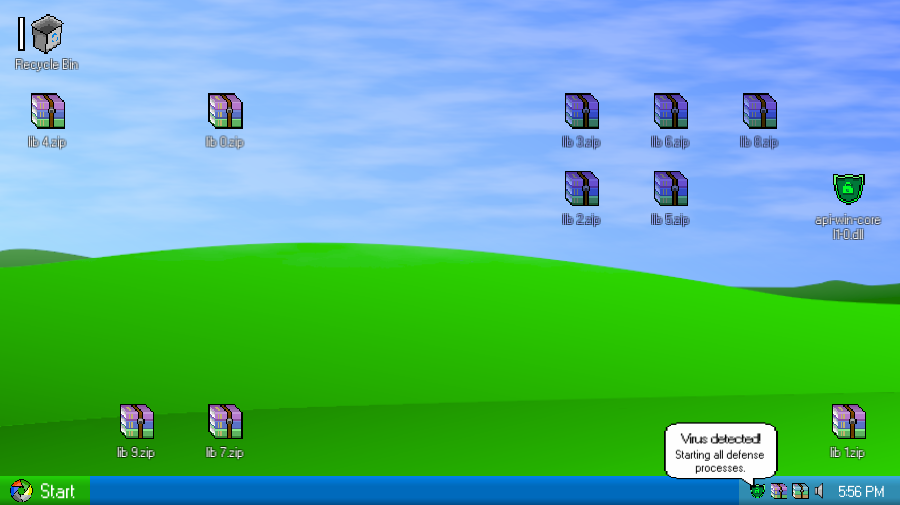
LoL... How much time did it take you to virtually create my old XP computer?!? Your graphics are awesome and Clippy is far more amusing when he's in game form than in real life. There really shouldn't be anything satisfying about reliving my XP nightmares, but, I got quite a bit of satisfaction out of clearing all the viruses from my desktop. Great job!
This looks Great! and plays nice. Well done on the emulation of windows, very nice. the game itself is simple, but turns up the challenge at a good rate. discovered hax such as selection for better performance! Kind of wish more challenges showed up, not sure why I would ever unzip the files seemed like it only made things harder. Maybe adding having to run some of the anti virus files, or fake anti-virus files could be somewhere to go. Good stuff.
Simple but I love it, a good use of theme! It brings me back to the time when I still use WindowsXP, and I really miss the Clip. I like desktop simulator forever.jpg
This is a neat game, and a really good use of the theme! The game is pretty hard too lol, took me a couple tries to beat medium difficulty, (then I was sad because the 42.zip file came back again and again 😢 )
Too easy. Even at 1337 difficulty. It could be fun if you have to rely on rectangle selections to delete files quickly enough, but you can just click and delete whenever a virus spawns (with regular recycle bin emptying). Bonus point for being able to delete the recycle bin.
@sentmoraap I really wanted 1337 to live up to its name but had such a crunch with balancing at the end. I played primarily using click and drag so maybe that also changed my experience. Good to note though. And thanks :) I wanted to add as many obstacles that you needed to avoid as possible. And it's a wonderfully sad feeling watching the screen fill up and eventually crashing the system.
It's really very similar to Windows XP! Nice and clear mechanics, I like it. I wonder if you can find something in the search under the start button...
@enot487 Since you bring it up, I'll explain the search bar. There's 1 phrase that it was made to recognize. A reference to a show that reminded me that zip bombs are a thing - something that came to mind while brainstorming game ideas. The line only works on standalone builds though, as it closes the app. "Cut the power to the building" in any case with or without spaces.
This was really funny, I enjoyed it a lot. You should make the background change from day to night to make it seem like time is passing and you've been cleaning up files for a whole day 🌙
@oddeyed Thanks~ That'd be an interesting idea. There is at least a way to change the bg atm if you weren't aware. It's not quite night, but it's a black BG (if you right click on the desktop).
This is great! It seems we have similar concepts. I guess great minds think alike! Your game really looks like a computer screen, and it's amazing! A lot of attention to detail and polishing went into this. The game is very easy though, and I had to intentionally allow the screen to fill up. Great entry :)
@adonisdevs Haha thanks. Agreed. Actually, I've tried your game as well! I just didn't get around to leaving a comment. I love the sound design and humor of it. Sadly if you play this game in a certain way it's not as difficult as I had hoped. Unfortunately, I didn't get to balance it as much as I had hoped with irl time constraints.
Oh man, this reminds me of the days I used to spend making faux "operating systems" in GameMaker. Ahh, what fun~
This is a really solid entry, though. Funny (it's a parody of old-school Windows, of *course* it's funny), decently fun, and with some genuine stress to boot as you struggle to avoid deleting the antivirus files.
Only played on Easy difficulty, but found it a decent enough challenge (albiet, without knowing about the delete hotkey - that probably would've sped things up) - first time around, the virus lasted ~121 seconds, and I deleted 87 of its files to 3 AV ones. Second time was 119 seconds, with 84 virus files and no antivirus ones - spending a bit of extra time to order the antivirus files into rows at the top made life a good bit easier.
Got 1337 level in 114 seconds! 😃 Very nice entry! The general UI is clean and I loved the pixel art stuff especially the loading screen. I felt it a bit easy, maybe it would be a good thing to restrict some functions for the higher levels to make it a bit more difficult ?
Awesome game! I like the fact that you can actually beat it and not only get somehing like "Time you survived: xxx". The game looks very good, and overall I had no issues playing it (though I only managed to beat easy...)
@cliffracerx Thank you :) I had a blast re-creating the classic XP feel. I've also made a faux terminal in the past (also on my itch.io if you're interested), so we'll see what's next 😏. I'm glad to see clustering AV files being made use of 👍
@number6406 Thanks! Currently the recycle bin has a lower capacity on higher difficulties, but it would be nice to have had greater changes. Or at least a better difficulty curve for 1337.
@ely-shaffir Thank you~ I'm usually not a fan of infinite runner style games; I'd rather have an end goal (or persistent upgrades that affect game play in more than just time/numbers). Glad to hear it went well.
WOW. I really liked this entry. Something soothing about a desktop. The feeling of computer. Ahhhhh. so smooth. I enjoyed the soft graphics style, really inspiring stuff. You make me want to do things like this myself. Maybe someday i'll come up with something interesting like this. But, nailed the theme. Super cool stuff. :D
Fun game, I love that the way you interact with it emulates the way you do stuff on a normal desktop, well done! That "BSOD" actually had me worries for a half-second ;D
@zirrrus haha. Thank you; glad to hear. Playing the game without full screen ruins the BSOD feels. It's definitely an uneasy visual to see even if you know it's coming - oh man have I seen my fair share of BSODs in the past few years...


Comments34
@fussenkuh Glad to hear :) Thank you, haha. And to answer your question, under 48 hours 😎
Kind of wish more challenges showed up, not sure why I would ever unzip the files seemed like it only made things harder. Maybe adding having to run some of the anti virus files, or fake anti-virus files could be somewhere to go.
Good stuff.
This game makes me want to clean my desktop as well after I finished it😂
Bonus point for being able to delete the recycle bin.
And thanks :) I wanted to add as many obstacles that you needed to avoid as possible. And it's a wonderfully sad feeling watching the screen fill up and eventually crashing the system.
This is a really solid entry, though. Funny (it's a parody of old-school Windows, of *course* it's funny), decently fun, and with some genuine stress to boot as you struggle to avoid deleting the antivirus files.
Only played on Easy difficulty, but found it a decent enough challenge (albiet, without knowing about the delete hotkey - that probably would've sped things up) - first time around, the virus lasted ~121 seconds, and I deleted 87 of its files to 3 AV ones. Second time was 119 seconds, with 84 virus files and no antivirus ones - spending a bit of extra time to order the antivirus files into rows at the top made life a good bit easier.
Very nice work!
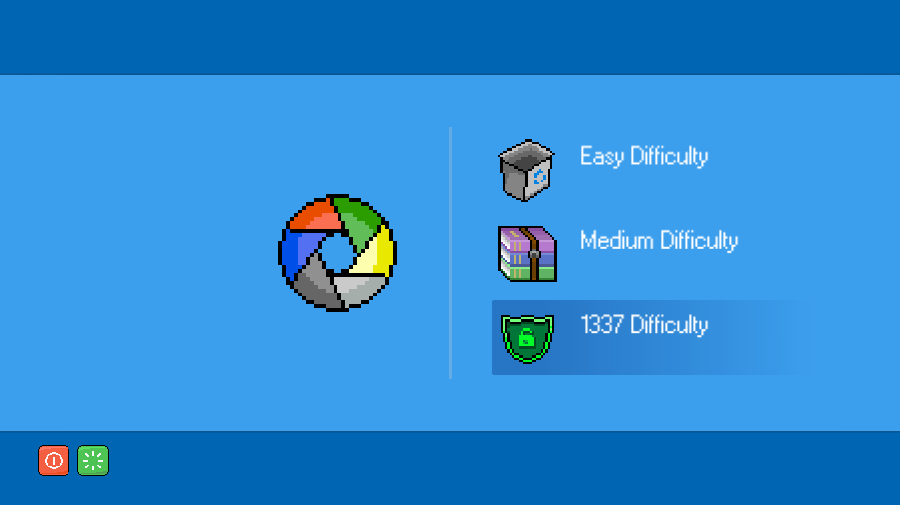
Very nice entry! The general UI is clean and I loved the pixel art stuff especially the loading screen.
I felt it a bit easy, maybe it would be a good thing to restrict some functions for the higher levels to make it a bit more difficult ?
The game looks very good, and overall I had no issues playing it (though I only managed to beat easy...)
@number6406 Thanks! Currently the recycle bin has a lower capacity on higher difficulties, but it would be nice to have had greater changes. Or at least a better difficulty curve for 1337.
@ely-shaffir Thank you~ I'm usually not a fan of infinite runner style games; I'd rather have an end goal (or persistent upgrades that affect game play in more than just time/numbers). Glad to hear it went well.
Fun game, I love that the way you interact with it emulates the way you do stuff on a normal desktop, well done!
That "BSOD" actually had me worries for a half-second ;D