
CalmR - Rock Skipping Mindfulness
Intro
With the practice of mindfulness, you can train your mind to reap untold benefits in focus, self-esteem, and enlightenment. CalmR is the most immersive, most effective, and most powerful mindfulness tool to ever exist. With the help of your guide, a brilliant AI named Sira, you will be on the road to becoming the most mindful person in the universe.
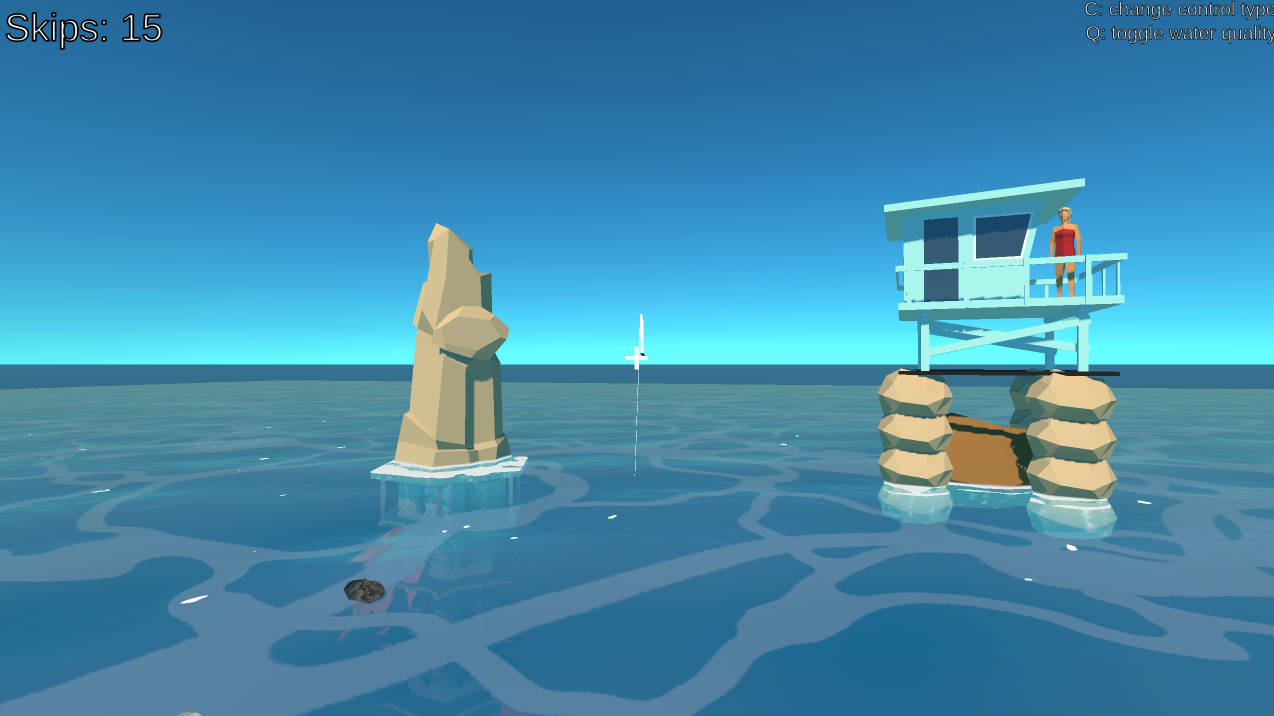
Built for VR (Oculus Quest) but also works on Mac and PC where you can use the mouse to fling rocks and skip them.
Graphics are from the Unity Asset Store.
Objective
Skip rocks to become mindful. Play with your sound on to hear Sira's guidance.
Throw more horizontally to get more skips. Throwing harder means the rock will fly away from your targets - for more nearby skips, try throwing just softly enough.
Controls
PC
There are two control options. Press the C key to switch between them. You can use WASD or the arrows to move around on the dock and the mouse to rotate the camera.Physics-Based Controls (default): Point the + aimer at a floating rock then click and hold to grab a rock. Move the mouse to gain momentum in a desired direction and then let go to throw the rock. You can also hold Shift while throwing a rock to lock the camera in place and complete the throw with the mouse movement only.
Aimer-Based Controls: Press C to enter this mode or press it again to leave it. Click on a rock once to pick it up. It will stick with you. Aim where you want, then click and hold again to begin the throw. Drag your mouse from the center towards the direction you want to throw, and hold longer to throw harder. Release to throw.
Quality toggle: If the game is running like crap, try pressing the Q key to toggle off expensive water shaders. You can press it again to switch back.
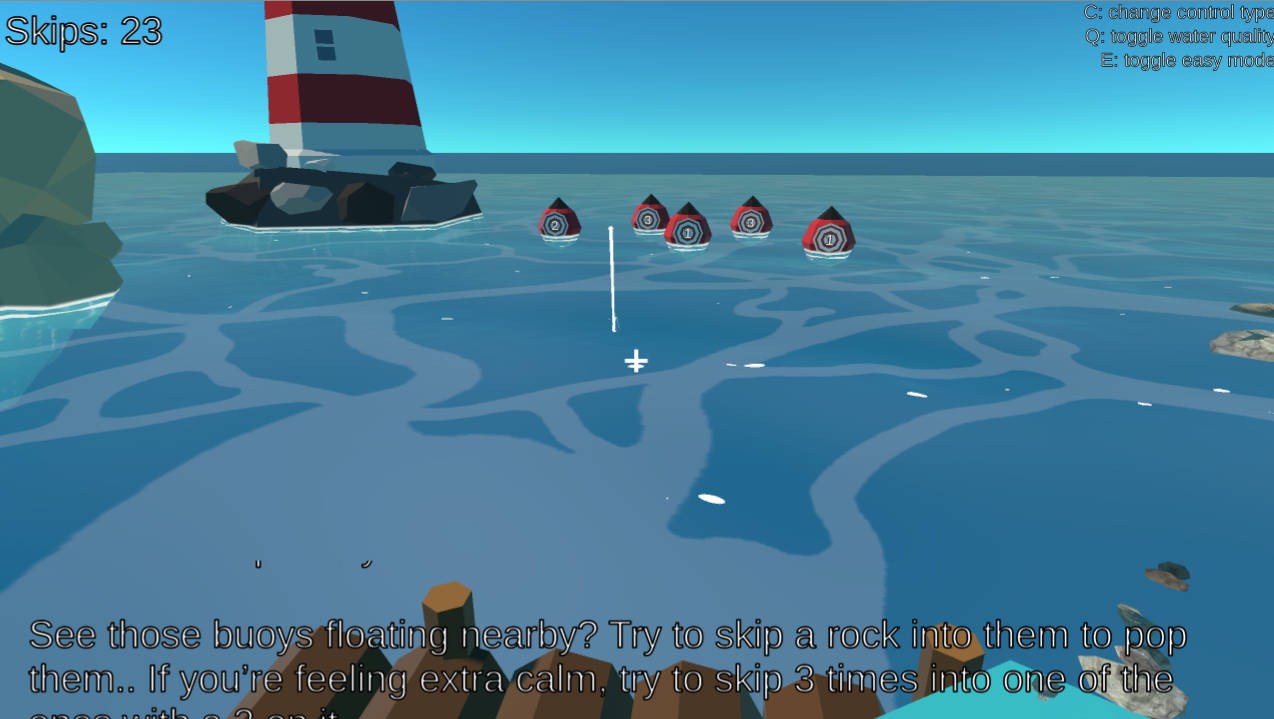
Easy mode: If the targets are just too difficult to hit, press the E key at any time to toggle easy mode on or off. It will increase the size of the targets.
Oculus VR
This is straightforward. Grab a rock with the trigger (you can grab it from any distance) and then throw it like you would throw a real rock, releasing the trigger to throw. You can also move around or rotate using the sticks.There are no toggles for graphics quality etc on Oculus because this should run fine on the Oculus Quest 1 & 2. If you want an easy mode, you can use the sticks to move yourself anywhere, including right next to the targets.
Credits
Eli Delventhal - LeadIvy Ngo - Engineering and Design
Mario Godoy - Audio
Sam Godoy - Voice of Sira
Brendan Milos - Writer
Thanks for playing!
Comments37
DaleP5 Oct 2021, 06:17
Ran fairly badly on my computer (AMD Radeon Pro 5300M GPU, MacOS 11.6, non-VR) although it ran smoother if I looked up a little, but seeing as how I’m apparently the most mindful person in existence I finished it anyway. Off to go live like a monk!
!> For some reason I always love games that let you feel like you’re rebelling against the game in some way.
!> For some reason I always love games that let you feel like you’re rebelling against the game in some way.

Eli Delventhal6 Oct 2021, 04:32
Thanks for playing @ultrarat and @dalep ! Hmm unclear on what the deal with the download is. Dale, I had some more time to take a look and turns out I just needed to lower the quality settings in Unity (they were being published on "Ultra" quality, oops). Made a new build after knocking it down to medium if you want to give it another try.
Elazulus6 Oct 2021, 06:18
Hey, this is a pretty interesting submission!
Definitely a unique concept haha it had me chuckling :)
I don't have a VR set, so the rock throwing probably wasn't as satisfying as it could have been, but I still enjoyed figuring out the mechanics.
One bug (?), I dragged a rock underneath myself, and it pushed me off the platform and I fell into the lava, and the void.
Again, cool submission, the voice of Sira was well done and the other SFX were very clean and nice to listen to.
Nice work!
Definitely a unique concept haha it had me chuckling :)
I don't have a VR set, so the rock throwing probably wasn't as satisfying as it could have been, but I still enjoyed figuring out the mechanics.
One bug (?), I dragged a rock underneath myself, and it pushed me off the platform and I fell into the lava, and the void.
Again, cool submission, the voice of Sira was well done and the other SFX were very clean and nice to listen to.
Nice work!
Zvyaga6 Oct 2021, 06:20
Tested it on oculus, very cool, you're great)

LDJam user 2710146 Oct 2021, 06:47
Very interesting take on the theme! I really like how the game subverts your initial expectations - I thought it was a little weird and on-the-nose at first, and was glad to see it go in a different direction. The audio was great; very soothing and relaxing. The presence of real VA definitely sets the mood.
My biggest frustration was with the controls - I was on mouse/keyboard and I struggled to get the rock to go where I wanted at first (it almost always went way farther than I wanted). I eventually settled on the second control scheme, which felt a lot more consistent. The easy mode toggle was very much appreciated.
One thing to call out is is that I found a game-breaking bug - if you select a rock with the mouse, and then look down at the dock, you start to collide with the rock and it bounces you off the dock, causing you to fall beneath the map.
Overall, I enjoyed it quite a bit! I also used an AI character in my game, so it was interesting to see another take on the idea. The ending was pretty funny :)
My biggest frustration was with the controls - I was on mouse/keyboard and I struggled to get the rock to go where I wanted at first (it almost always went way farther than I wanted). I eventually settled on the second control scheme, which felt a lot more consistent. The easy mode toggle was very much appreciated.
One thing to call out is is that I found a game-breaking bug - if you select a rock with the mouse, and then look down at the dock, you start to collide with the rock and it bounces you off the dock, causing you to fall beneath the map.
Overall, I enjoyed it quite a bit! I also used an AI character in my game, so it was interesting to see another take on the idea. The ending was pretty funny :)
LDJam user 1425036 Oct 2021, 07:29
Nice game~
Maybe there can be a stone that always in my hand?I'm so lazy lol.
Maybe there can be a stone that always in my hand?I'm so lazy lol.

LDJam user 2653607 Oct 2021, 03:17
+1 to @ultrarat's comment: I also had trouble downloading, but that fixed it. Also, on my first attempt, I accidentally threw myself off the platform. Turns out the rocks let you rocket jump if you look down with them, lol. Bugs aside, it was a fun little experience with a nice atmosphere!

Sandra Martinez7 Oct 2021, 06:15
The gameplay is easy to understand. Beautiful graphics, the water surface is smooth and satisfying, and so is the rock skipping effect. It starts to get funny as I start throwing rocks to the towers and the ship, nice humour you got there, thought I really expected more jokes coming.

ChillerTyp7 Oct 2021, 07:33
Reminds me of the Wind Waker... but with water reflections.
Eli Delventhal7 Oct 2021, 17:53
@sandra-martinez would have loved to put more jokes in! Time didn't allow, unfortunately. 😃

kyboon7 Oct 2021, 19:35
Not gonna lie, the game got me in the first half :)
Also I really appreciate you put in effort to make a VR version of it. And you nailed the feel of throwing!
One little bug in the end, if the player is not in the origin, the end screen won't be in sight (it does in PC version, not in VR version). Maybe reset player's position after destroying the last piece.
Great job, I like the humor!
Also I really appreciate you put in effort to make a VR version of it. And you nailed the feel of throwing!
One little bug in the end, if the player is not in the origin, the end screen won't be in sight (it does in PC version, not in VR version). Maybe reset player's position after destroying the last piece.
Great job, I like the humor!

Stroe Andrew7 Oct 2021, 20:48
Great Job. I really love the concept & I'm sure the "relaxing" part was cool for most of the people :)
the graphics is outstanding, congrats.
I really love it
the graphics is outstanding, congrats.
I really love it
Jonathan Alderson7 Oct 2021, 21:14
This is absolutely terrifying, I'm just on edge after playing that, I feel like I've downloaded a piece of haunted software. I'm deeply unsettled and found it hard to skip the rocks. Good stuff.

T C8 Oct 2021, 03:15
Haha, awesome stuff! Very cool. I would have loved for something to happen different if you start up the game after beating it. Either way, the idea and execution were very good. Great game!

Jane Wei8 Oct 2021, 16:25
Polished VR game! The voiceover + script were fantastic, and the rock skipping challenges were fun to master. Had to have quite a few goes at the cruise ship, but it was worth it in the end :) Soundscape was fitting at first, and then humorously ironic
I'm lucky enough to have an Oculus Quest - the throwing feels pretty good in there!
It was a bit surreal for me because our team has made a VR game with a bed (of sorts) floating on an ocean before (not for LD49) https://dreamteamaus.itch.io/dreamboat
I'm lucky enough to have an Oculus Quest - the throwing feels pretty good in there!
It was a bit surreal for me because our team has made a VR game with a bed (of sorts) floating on an ocean before (not for LD49) https://dreamteamaus.itch.io/dreamboat

Nebrazif8 Oct 2021, 19:05
Good work, very cool game, the art was great ! 😁
Eli Delventhal8 Oct 2021, 19:52
@jane-wei LOL wow your Dreamboat game has a lot of similarities to ours! Brilliant minds. :-)

nratcliff8 Oct 2021, 21:01
Controls were pretty tough on PC but the writing was excellent! It reminds me a lot of William Pugh's stuff.
Eli Delventhal8 Oct 2021, 21:13
@nratcliff we were definitely using The Stanley Parable as inspiration. 😄

LDJam user 2024088 Oct 2021, 21:40
oh man Im so into this game, I wouldn't mind paying for a full version lol, amazing work definitely one of the best I've player, I really love this so much thanks for making this game!

ZachsButt8 Oct 2021, 21:52
i think i achieved enlightenment. thanks!
Eli Delventhal8 Oct 2021, 22:00
@0x-void-x0 thank you so much, we really really appreciate it!
@zachsbutt hahaha well done! Maybe I should make a post-compo build where I turn off gravity for the player!
@zachsbutt hahaha well done! Maybe I should make a post-compo build where I turn off gravity for the player!

rufson8 Oct 2021, 22:08
I would just cuddle to the sound of a stone falling close to the player - it sounds like inside a toilet. I like the symbol part the most :) Very immersive experience. Thank you


JPatchZ11 Oct 2021, 07:37
The sound effects are amazing! I wish I had occulos so I could test it on VR. The mood of the game really calmed me down. The water and ocean sound almos made me feel the breeze. That was a great experience for sure! One thing that bother me is that when I'm holding shift and then loose de mouse button to throw a stone, the camera is auto unlocked and my canvas goes crazy, and then I can't see the beginning of the stone percurse. I don't know if I'm doing something wrong, maybe.
Eli Delventhal11 Oct 2021, 18:34
@jpatchz Thanks for the feedback! I'll look into the camera glitching. Smells like a true bug.

bloodycoin13 Oct 2021, 08:04
Very well aesthetically done. At first I was really calm, then as I started trying to hit targets got increasingly frustrated :D Good meditation subversion.
Played on PC with mouse & keyboard, so I am sure I am missing throwing motion experience. Was mildly disappointed, that intro dialogs were same after finishing the game and running it again 🙃
But overall - good job.
Played on PC with mouse & keyboard, so I am sure I am missing throwing motion experience. Was mildly disappointed, that intro dialogs were same after finishing the game and running it again 🙃
But overall - good job.
Eli Delventhal13 Oct 2021, 18:54
@bloodycoin well I suppose you wanting to play the game again is a good problem to have! Would indeed be amusing in a post-compo entry to have her yell at you and then just force quit the app.

SleepyStudios14 Oct 2021, 17:30
Really well polished and really well designed. Feels like one of those perfect short VR experiences that doesn't try to overcomplicate things which I really appreciated. Nice work!
Harmadillo15 Oct 2021, 17:38
This was a lot of fun. Enjoyed the rock skipping and the humour. Having the alternate control schemes help with playing on PC. Would be interesting to try the rock skipping in VR.

Abdul Zakkar19 Oct 2021, 04:12
I am the most mindful person to ever live. Great stuff, love the writing in the commentary!

MrKnd9420 Oct 2021, 23:21
A lot of fun. People need this game in their lives. Well done! :)

LDJam user 25910321 Oct 2021, 02:33
Really fun (and funny!). Haven't had the chance to play in VR yet but I might try that sometime soon. Nice work :)

Riper21 Oct 2021, 19:54
Good work, it was fine!

Sam Gorman21 Oct 2021, 19:54
I am equal parts amazed and questioning what I just played
It was unironically difficult and fun. Incredible writing.
never have I been calmer
It was unironically difficult and fun. Incredible writing.
never have I been calmer


Human voice and SPLUNK sfx is very relaxing.