Game about mixing unstable concoctions into a cauldron so it does not explode.
The name is a play with Chemical and CMYK
How to play
Controls
WASD for movement Mouse for looking around Space bar for jumping E for interacting with objects
Objective
Deliver the requested potion by the cauldron. As the time goes by, the cauldron will grow unstable. Every potion you deliver, the difficulty will grow, and new colors with more complex recipes can be requested. Use different tools for extracting colors, combining them, diluting for having lower amounts or concentrating to restore the opacity. Tools have in-game descriptions that might help to understand how they work.
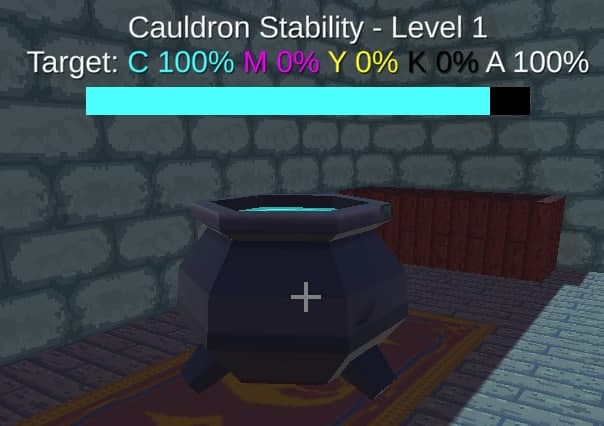
The cauldron tells your objective. It's content is growing unstable, and you need to add a potion of the same color to make it stable again. However, as it grows in levels, it will start to request more difficult potions and grow unstable faster.
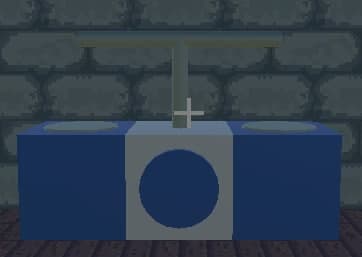
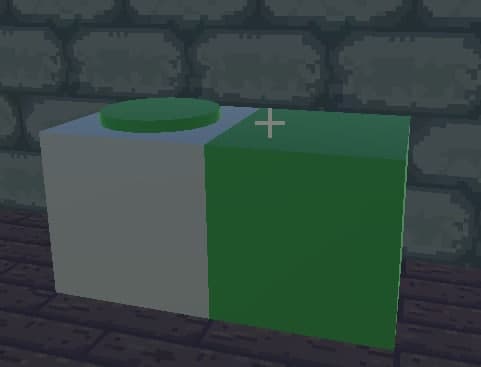
The combiner combines two potions with different colors into one, by adding it's components. Add one potion on each side and hit the button to combine. Both flasks must be filled with some kind of potion to have effect.
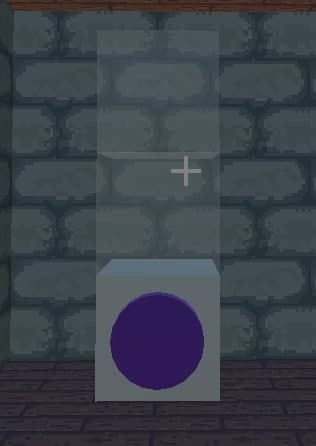
The extractor is used to create a potion from a source material. Add the source material on top, then an empty flask below, and push the button to make it happen.
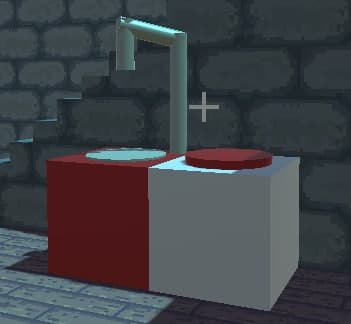
Diluter is used to set the potion alpha value to 0.5. This is useful when combining colors to achieve lower %
Concentrator is used to increase the alpha of the potion back to 1, no matter how much it was before.
Remarks
Unfortunately I did not had time to add a game over screen or tutorials in-game You know the game is over when the input gets blocked when the bar runs out.
The game needs more instructions, I wasn't able to figure out how to play. I could pick up leaves and bottles and put them down places but couldn't figure out how to combine them into potions.
Thanks @zookatron ! I added description in the text above, also uploaded a fixed version of the game where you can actually deliver potions in the cauldron.
It was a hard game to learn and it really needs a tutorial level or something like that. But to be honest i enjoyed how it turned out to be after realizing what you need to do to create such potions. That is very clever, congrats!
I liked the idea ~~but I couldn't figure out how to make 50% and 75% colors (diluting affected only the Alpha channel) so I got stuck after a few levels.~~ Update: I figured out, the canvases explain it, just need to combine the diluted potion with a white one 😅
I had the same issue as nerdandas, playing in Chrome. The ingredients appeared fine, but the room graphics were all corrupted.
I was able to play through a bit of the game anyway, but ran into the same issue as Wendel regarding dilution - I couldn't figure out how to make a 50% Y potion.
I think there's a good hook to the "unstable" theme in this, but it needs more narrative dressing to sell it. I want to be a kooky witch throwing "eye of newt" and "fuzzy bat wings" into the cauldron while it bubbles, then just as the cauldron's about to explode I ladle out a fantastic potion and hand it to some creeped out villager in the doorway. The core mechanic is solid, though. (:
Thanks for all the suggestion guys! I have no idea what this graphical glitch is, will see if I can reproduce it myself, but it runs fine on my chrome/windows setup :thinking:
Will see if I can make an improved version as a post-jam thing.


Comments8
I added description in the text above, also uploaded a fixed version of the game where you can actually deliver potions in the cauldron.
I was able to play through a bit of the game anyway, but ran into the same issue as Wendel regarding dilution - I couldn't figure out how to make a 50% Y potion.
I think there's a good hook to the "unstable" theme in this, but it needs more narrative dressing to sell it. I want to be a kooky witch throwing "eye of newt" and "fuzzy bat wings" into the cauldron while it bubbles, then just as the cauldron's about to explode I ladle out a fantastic potion and hand it to some creeped out villager in the doorway. The core mechanic is solid, though. (:
Will see if I can make an improved version as a post-jam thing.