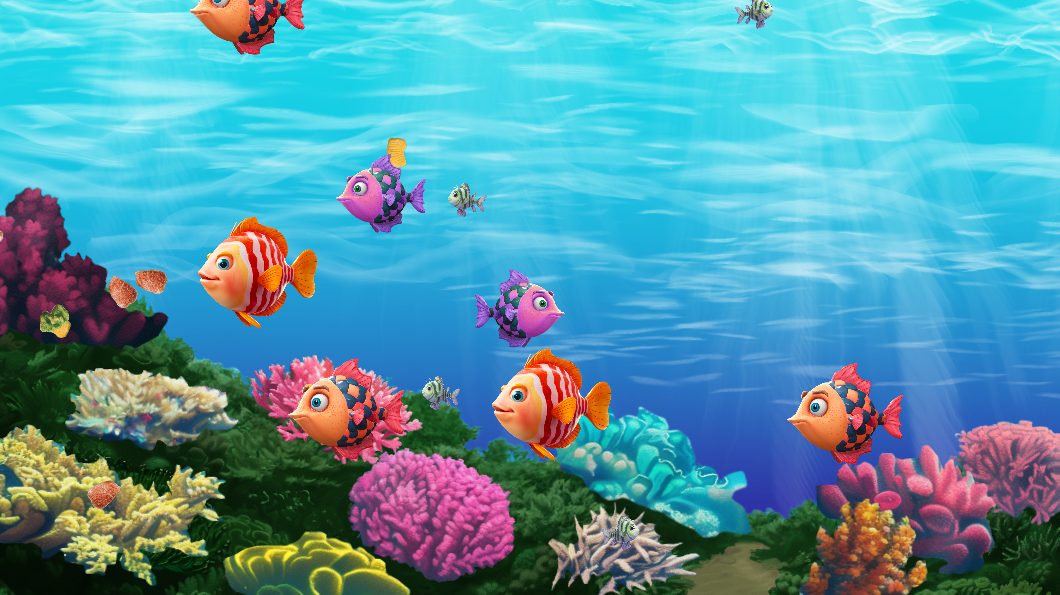
The rumors of screensavers' death are greatly exaggerated. Ocean Screensaver for Windows 4K 2024 offers a fresh screensaver experience to liven up your computer with colorful, playful fish. Immerse yourself in a vibrant tribute to the classic screensaver era with an interactive twist. As you accumulate mana over time, you can summon more life into the underwater world. It's a screensaver that evolves as you watch.
How to install
1. Unzip 2. Right-click the ocean-screensaver.scr and select "Install" 3. Click OK in the screensaver menu.
@danonino Well this screensaver is interactive, you press buttons, accumulate currency to buy stuff and gain score. The score is however hidden because I didnt want to show any numbers on the screen.
This certainly is a unique take on the theme, and in a way I feel like a screensaver is the ultimate way to have an "idle-game", that is such a good idea! How has nobody thought of that before?
The graphics are really nice, I like them a lot and they give off a very soothing and relaxed mood. Being visually pleasing is probably the most important thing for a screensaver.
I have now installed your game as my screensaver, so in a way your game is going to be the game that I see the most of 😄
Innovative ideas like this are what makes Ludum Dare special, great job!
The games/screensavers visuals is looking really good. The idea is simple and pretty fun. When testing it, it feels a bit slow, but use it as a screensaver it will work fine. I would have liked a bit of relaxing ocean sound effects. I tried to summon some plants, but I never saw them anywhere. Overall a good and relaxing little game. Well done.
Pretty fun. Interesting interpretation of the theme. I like when someone creates something which is not a game - strictly speaking. This screensaver is really well done - and the fish is cool. The 4K visuals are impressive. Thank you for the source code. According to your previous post, I downloaded it - and I tested it ++
It's really nice to see something completely original here! Visuals are calm and pleasing, and the game nicely fits the summoning theme.
IMO I think you would see more downloads if the game were playable via HTML5 rather than only via a screensaver file (.scr files have a bad reputation for containing malware). You might also benefit from having a GIF of gameplay, to dispel the idea that it's just a completely idle screensaver with no interaction.
This was very pleasant! The summoning aspect wasn't exactly front and center, but I had a nice time just watching my little fish friends and populating the screen. It really reminds me of the screensavers and timesink games of my youth, well done replicating that.


Comments16
The graphics are really nice, I like them a lot and they give off a very soothing and relaxed mood. Being visually pleasing is probably the most important thing for a screensaver.
I have now installed your game as my screensaver, so in a way your game is going to be the game that I see the most of 😄
Innovative ideas like this are what makes Ludum Dare special, great job!
@simon-rahnasto thank you for your kind words!
IMO I think you would see more downloads if the game were playable via HTML5 rather than only via a screensaver file (.scr files have a bad reputation for containing malware). You might also benefit from having a GIF of gameplay, to dispel the idea that it's just a completely idle screensaver with no interaction.
High points for innovation, graphics and mood!