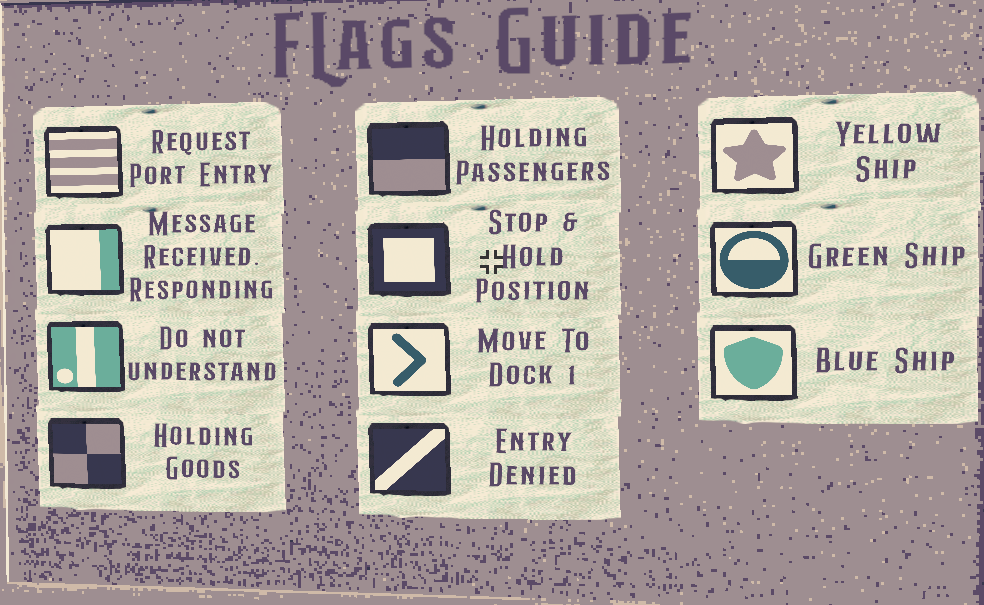
Read the guide carefully, this shows you how to communicate with oncoming ships.
To start
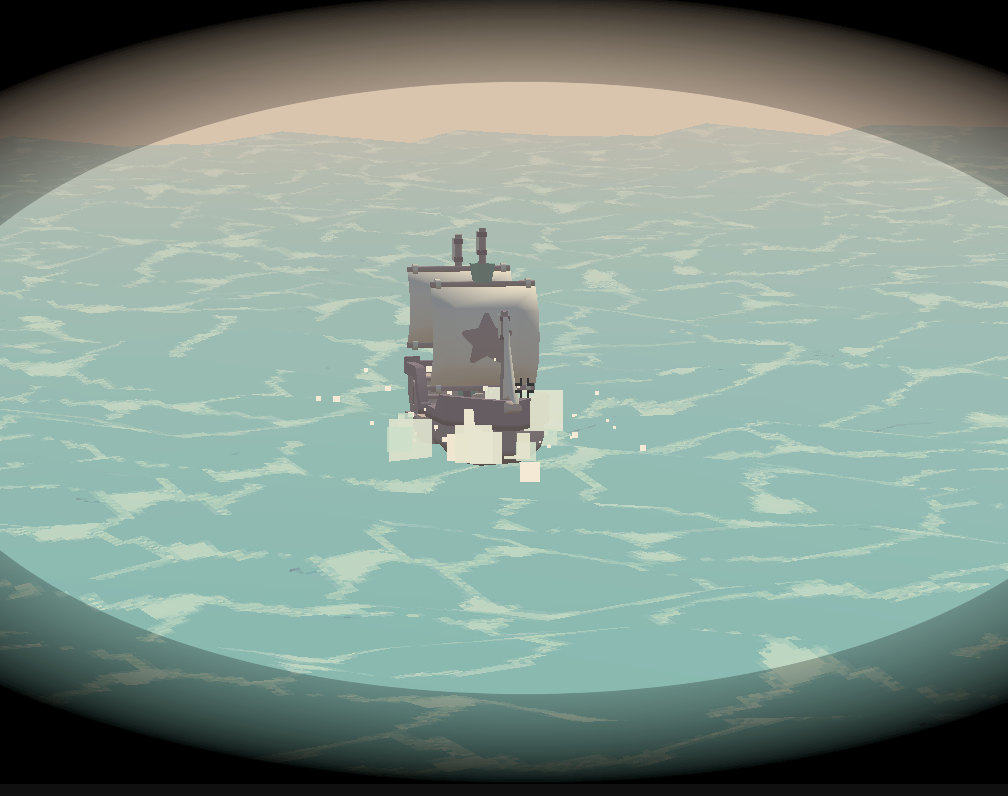
you should go and look out onto sea for any incoming ships. RIGHT CLICK will open your binoculars. Take note of the NATION SYMBOL on the mast of the ship.
The first thing we want to ask of any Oncoming ship is for it to HALT.
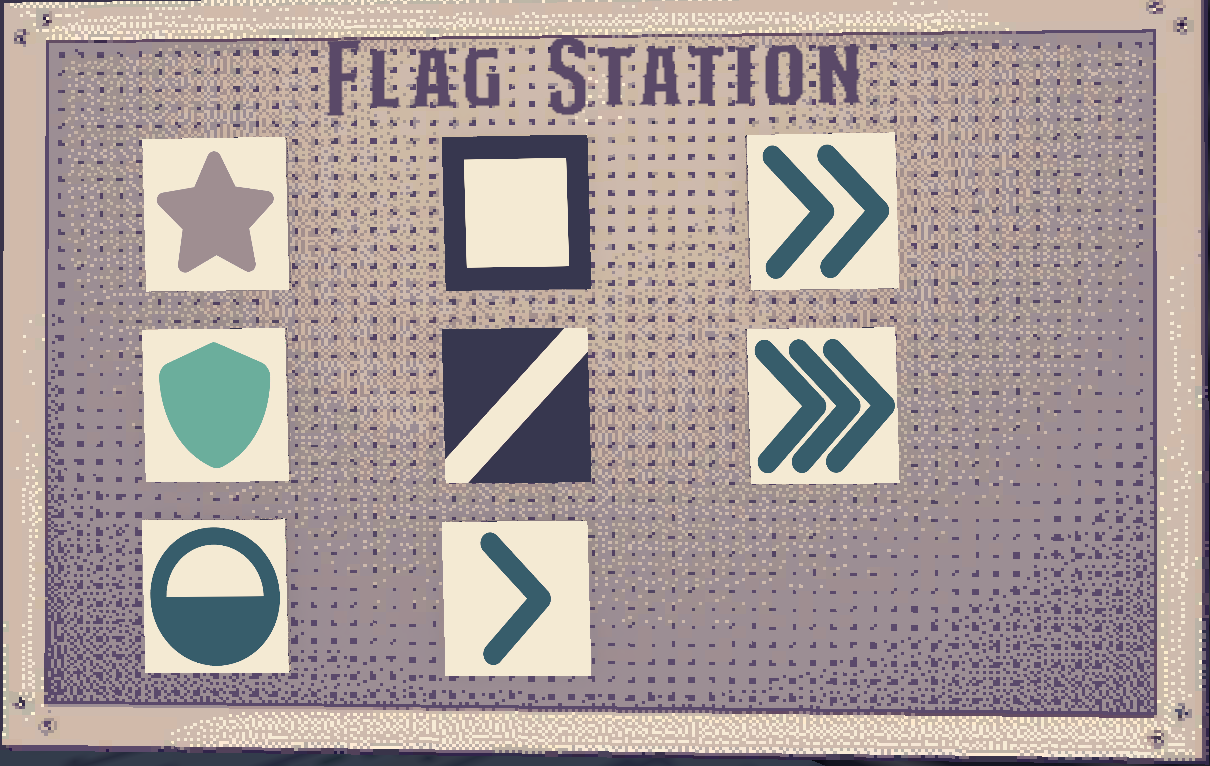
Find the flags you want to use to communicate .
Point and Click on the flag you want to grab from the Flag Station
An outgoing communication will ALWAYS include the nation you are addressing. Which will be one of the following.
So if you want STAR nation to HALT you must have the following outgoing communication on the flag pole.
You may also send the same message to multiple nations. To do this you would grab 3 + flags. For example, if you want the STAR AND the SHILED nation to HALT, the communication would look like this.
NOTE: An instruction must always take the form
[Addressing Nation]
[Instruction]
Where the Nation flag comes first and the instruction comes second.
You may only have one instruction per communication.
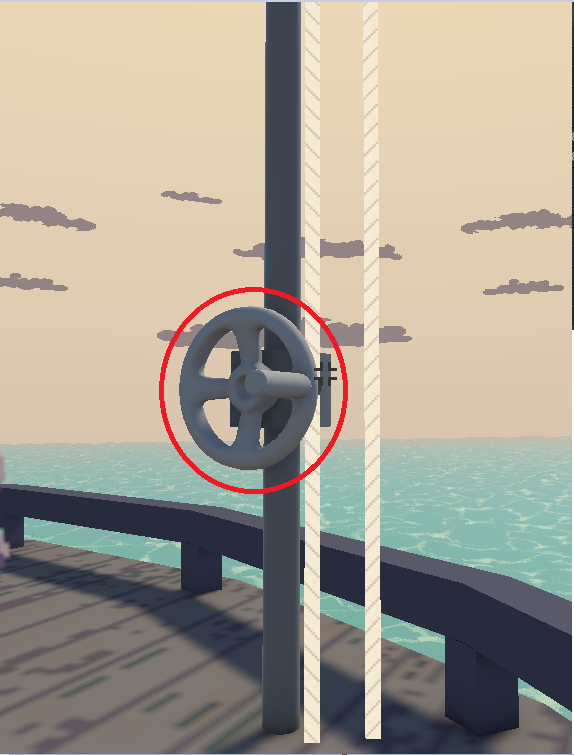
To begin a communication you must take the flags in your possession and point and click the hand crank outside to hoist a flag.
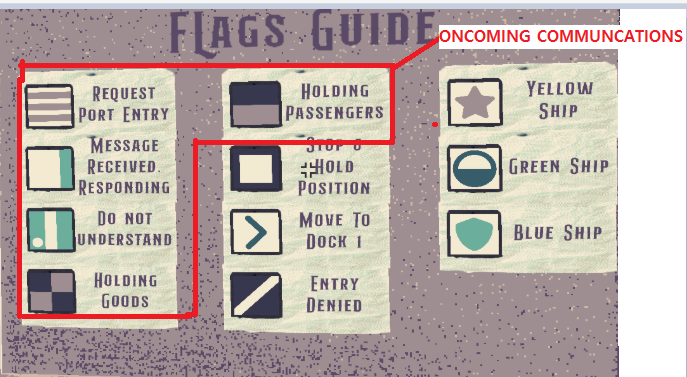
When a communication has been sent,.you must wait for the ship to send a communication back. You can find the receiving or “oncoming” communication instructions on the flag guide.
The ship should tell you what it is carrying.
For passengers and
for Cargo
Observe the manifest to understand which ships are allowed entry and where they are meant to dock,.
The "proceed to dock" flags are as follows.
Proceed to dock 1.
Proceed to dock 2.
Proceed to dock 3.
REMINDER. You MUST address the ship Nation in your communication. So simply flying a proceed to dock flag will not work. For example. The full communication For telling star nation to proceed to dock 1 is as follows.
The manifest will show you which ships go to which docks. And the number of spaces available at each port.
This manifest Shows
Dock 1 can land 2 passenger Ships
Dock2 can land 1 Cargo ship
Dock3 can land 1 passenger ship.
Note that the number of flags is also indicating dock capacity.
Looks really good and sets a nice calm atmosphere. Unfortunately I struggled to play beyond the first ship as no more arrived, not sure if it may have been a softlock.







Comments2