CodeKube

by bentog
Overall★★★★★★★★★★3.28
Fun★★★★★★★★★★2.69
Innovation★★★★★★★★★★4.22
Theme★★★★★★★★★★2.93
Graphics★★★★★★★★★★2.97
Audio★★★★★★★★★★2.67
Humor★★★★★★★★★★2.30
Mood★★★★★★★★★★2.72
Coolness★★★★★★★★★★57%
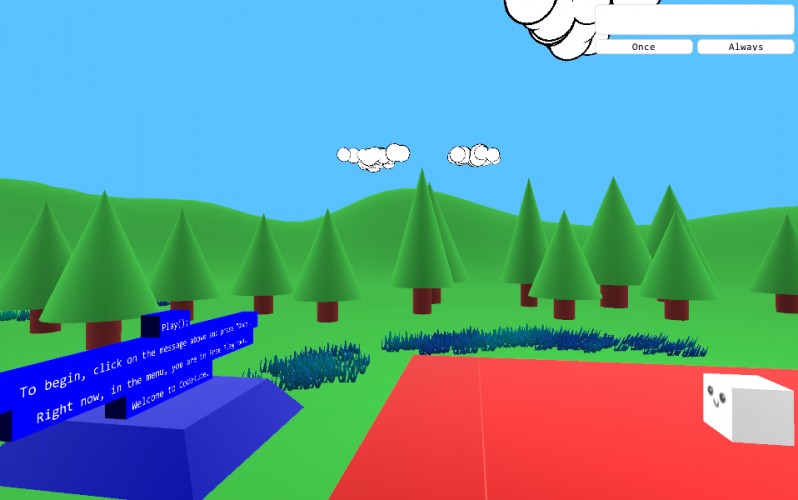
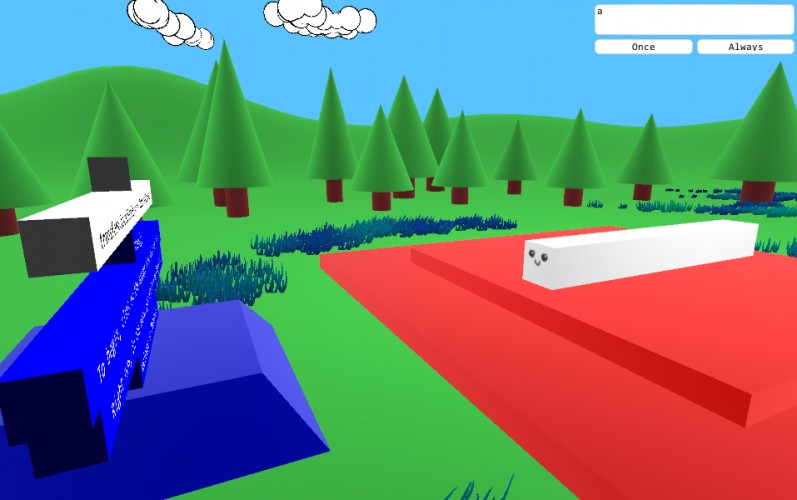
CodeKube, the game where you program! Write scripts to the console and watch them come to life!

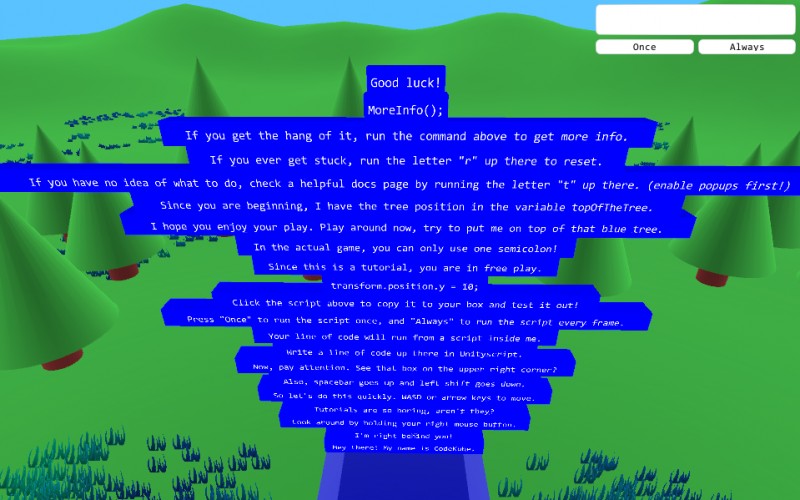
Instructions are in the game, but anyways:

WASD / Arrow keys to move
Spacebar to go up
Left shift to go down

Click a line of code on the "message board" to copy it to the code box

Run "r" to reset level
Run "t" to popup a helpful documentation page (make sure to enable popups!)

Comments29

Thein
Thein16 Dec 2013, 08:36
Awesome idea! I really enjoyed messing around in free mode. I'm really interested in seeing how you did this, but your source link seems to be dead. As a Unity user myself, the levels were pretty straightforward, but I did learn some things (like Time.timeScale). I would have loved to see more challenging levels! Good job!
bentogauthor16 Dec 2013, 14:38
Sorry for the broken link, it should be working now. The secret behind the game is the eval() function. For example:
eval("Debug.Log('Hello World')");
will print "Hello world". I'm glad you enjoyed it!
GravityScore
GravityScore16 Dec 2013, 16:56
Cool concept! Nice twist on the theme!
occash16 Dec 2013, 17:37
I have error(
bentogauthor16 Dec 2013, 17:42
occash, can you elaborate on that?
lubos
lubos16 Dec 2013, 17:45
This is extremely interesting. Graphics are also very pleasant.
archaeometrician
archaeometrician16 Dec 2013, 19:37
Great idea !! Love it very much! I don't know how I did it but the little cube disappear after I wrote : Print("hello!");

Really cool concept !
apwolf16 Dec 2013, 19:39
I liked it but sadly, I had no idea what I was doing. Really good reminder to start using Unity, really need to get into it!
TijmenTio16 Dec 2013, 19:45
This is really interesting. Maybe a new way to learn basic code to kids? idk but this thing here has some true potential y'all. Way to goo
reecpj16 Dec 2013, 19:54
Really amazing idea and execution, well done! Maybe less of a game, more a test on how well you can script in Unity!
bentogauthor16 Dec 2013, 19:56
@archaeometrician print(); doesn't work in the game, you have to use the function Log(message : String, color : Color);

If you are in the level TimeWarper, the cube goes everywhere. To have an idea of where the cube is, use the following command:

me.transform.position = transform.position + Vector3(0,5,-10);

This will place the camera close to the cube.
JoeProgram16 Dec 2013, 20:10
How are you assigning one component of a position Vector3 without creating a new variable? When I do that in Unity, I get a:

"error CS1612: Cannot modify a value type return value of `UnityEngine.Transform.position'. Consider storing the value in a temporary variable"
bentogauthor16 Dec 2013, 20:15
@JoeProgram What? Like,

transform.position.y = 10;

? Never had a problem with that.
archaeometrician
archaeometrician16 Dec 2013, 20:20
@bentog : Ahh ! I should have used the Log function ! I will give it a new try. Also, thank you very much for your feedback about my game. It' really appreciated ! I will update my game with a new custom mouselook script instead of the default one. Also, thanks for the tips about the 3d text. I was wondering why it was so ugly. This will be fixed in the next update :)
Thanks again !
kookoon
kookoon16 Dec 2013, 22:22
This may be a nice idea for a step-by-step unity tutorial for starters.
Cool stuff!
gingerBill
gingerBill16 Dec 2013, 23:33
No idea what I was doing but that is why I loved it so much! Never really seen a game like this before!
derdragon
derdragon16 Dec 2013, 23:34
Interesting... though probably more than I'm willing to mess with at the moment. Totally agree with the comments here about using this as something educational though.
Udell Games16 Dec 2013, 23:35
This is amazing, but I'd really like to be able to reset without having to clear the text in the box, typing r and hitting Once. A separate button would be good. Also perhaps not using up the semi-colon if there's an error? I hate it when Unity's non-standard function casing results in a level restart.
abeing
abeing16 Dec 2013, 23:42
nice idea and cute graphics. also chilling bgm
chamberlainpi
chamberlainpi16 Dec 2013, 23:47
Interesting idea, but all I could do was the tutorial, was there more to it?
DavidErosa17 Dec 2013, 12:45
I like the idea and graphics. Would be a nice tutorial-thingy.
bentogauthor17 Dec 2013, 13:17
@Udell Games: I hear you. Resetting should be more dynamic and only necessary if the script works. @chamberlainpi There are seven levels. After winning you must read the message board.
evilDan17 Dec 2013, 15:21
Woah - neat. Not too much to do if you don't script with Unity though. Pretty darn impressive implementation, though.
deathray
deathray18 Dec 2013, 06:31
Nicely innovative and an excellent idea ...but I wish it taught me more unity scripting by doing.
GaTechGrad25 Dec 2013, 07:37
Really neat concept. I just wish there were some objectives to the game.
Manuel Magalhães26 Dec 2013, 17:39
I like the concept. I also like how it uses a scripting language that exists outside of the game. (Unityscript)
BradleySmith
BradleySmith4 Jan 2014, 18:19
Interesting take on the theme. :)

Other games by @bentog

Found a bug?
Tell us on Discord