UPDATE2: Uploaded a 32 bit windows version. Use this version if you are unsure or have problems with the 64 bit version
UPDATED: the windows download should work now.. forgot to include the .dll files :/ my bad, i'm sorry!
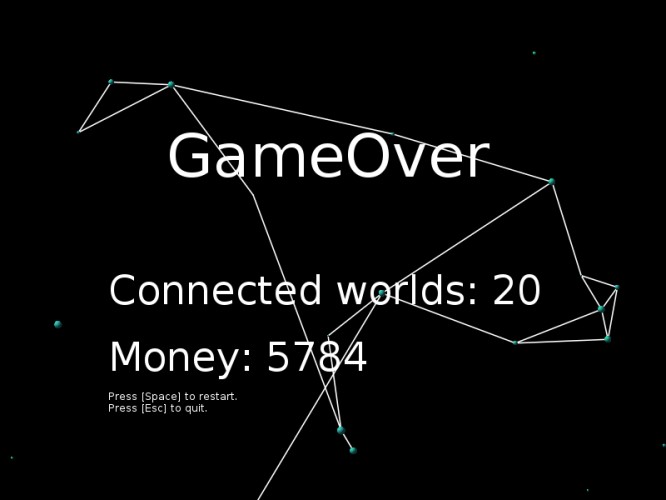
You are one of yocast!s employee and your job is to connect all worlds in the universe! Visit different planets and connect them.
Pay attention to the length of your line. You can buy supplies at each planet.
Controls:
Up - Accelerate Left,Right - Turn rocket Space - (at planet) let go from planet
Esc - Quit
Short how to play:
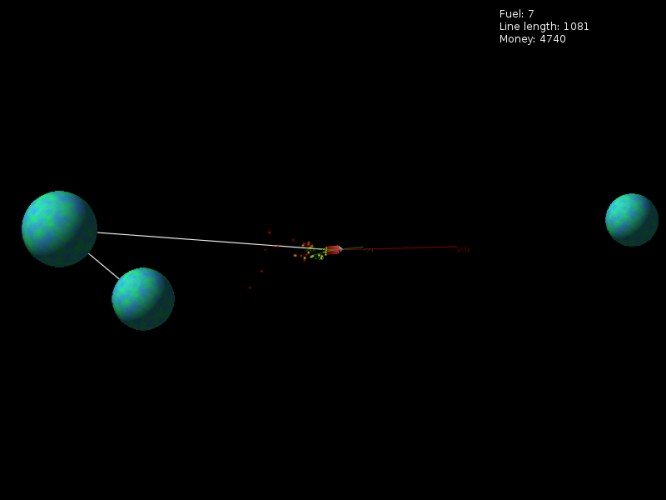
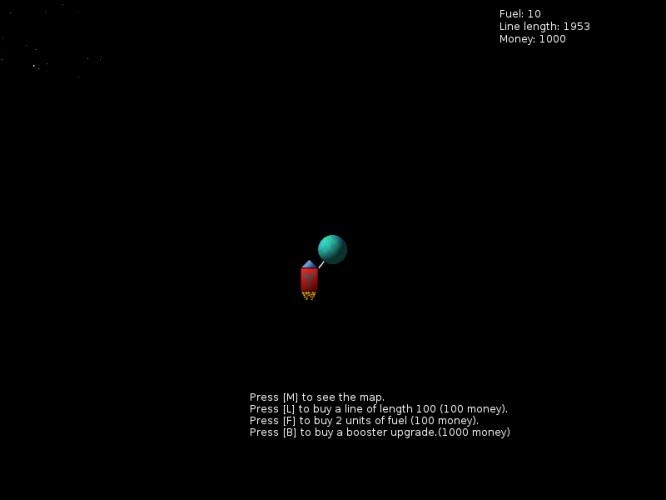
- press m when circulating a planet to toggle the map and find your ship - find a planet you want to fly to next, and buy enough "line" (press l) to get to that planet. overbuying by 200-300 is a good idea - also buy some fuel to get away from your planet and to navigate to other planets - after you have some money, upgrade your booster (higher acceleration, same fuel consumption) - every new connection gives you money - game is over, when you exceed the length of your line (watch the "line length" field, to see how much is left) - the game isn't always fair. Sometimes you won't even get to any planet from your starting planet. I guess that's just how it is.. Sorry ;)
Oh btw: no sound in space, because there is no sound in space, of course..... ;)
Uses the awesome LOVE2D engine. (Also used: The GIMP)
Instructions how to run:
Windows: just download the Windows exe and run ;)
Linux: Get love-0.9.1 from your repo, download the love file and run it with: $ love yocast.love
From the love2d webiste: > On Mac OSX, a folder or .love file can be dropped onto the Love.app application bundle. On the Mac OSX Terminal (commandline), you can use love like this (assuming it's installed to the Applications directory): open -n -a love "/home/path/to/game"
This was quite interesting. I couldn't get more than three planets connected, though. I don't know if it's intentional or not, but at times I would collide with the planet I just left and return on it. At one time I got a bit stuck this way. :p
It took a few tries to get it, but once I did the game was enjoyable. Would be helpful if a planet always spawned close and the one your at in the map was highlighted better. Great work though fun and love the concept.
This was a little confusing to start but after a bit, i understood how I was supposed to play and it was pretty fun.
I feel like i was fumbling the launches right until i stopped playing. I couldn't easily find myself on the map. Buying rope to get to another planet is very basic. I like saving fuel with good throws, but extra fuel doesn't seem to save you very reliably when you miss a planet. Planning out a route is pretty interesting though. Could do with more clarity on how to play, or better, an easy starting level to get you familiar with the mechanics. Good work
Fun, and definitely thematic. Died of expended line a lot. Don't seem to have quite got the trick of launching to the next planet, either, seems like I don't quite overcome line momentum a lot of the time.
Really enjoyed this entry, one of my favourites actually. Spent too much on boost so I couldn't reach the other planets in the late game, haha. Good job!
Wasn't able to connect more than 2 worlds. Not going to rate this because I can't figure out whether there is an issue or if it is me. Every time I hit the space bar I don't get something consistent enough to actually be able to tell if I am doing it right of if there is an issue with the game. Using 64 bit.
There's actually a surprising amount of people who use Love, Yey! Really difficult, but still playable, so points for fun. It fit the theme nicely, and I liked the booster animations on the rocket. Well done!
Really nice game. You can't get too far due to running out of money rather quickly and not being able to obtain enough to buy the line you need, but a fun game none the less.


Comments17
I feel like i was fumbling the launches right until i stopped playing. I couldn't easily find myself on the map. Buying rope to get to another planet is very basic. I like saving fuel with good throws, but extra fuel doesn't seem to save you very reliably when you miss a planet. Planning out a route is pretty interesting though.
Could do with more clarity on how to play, or better, an easy starting level to get you familiar with the mechanics.
Good work