Ludum Dare #41compo
CITY^3
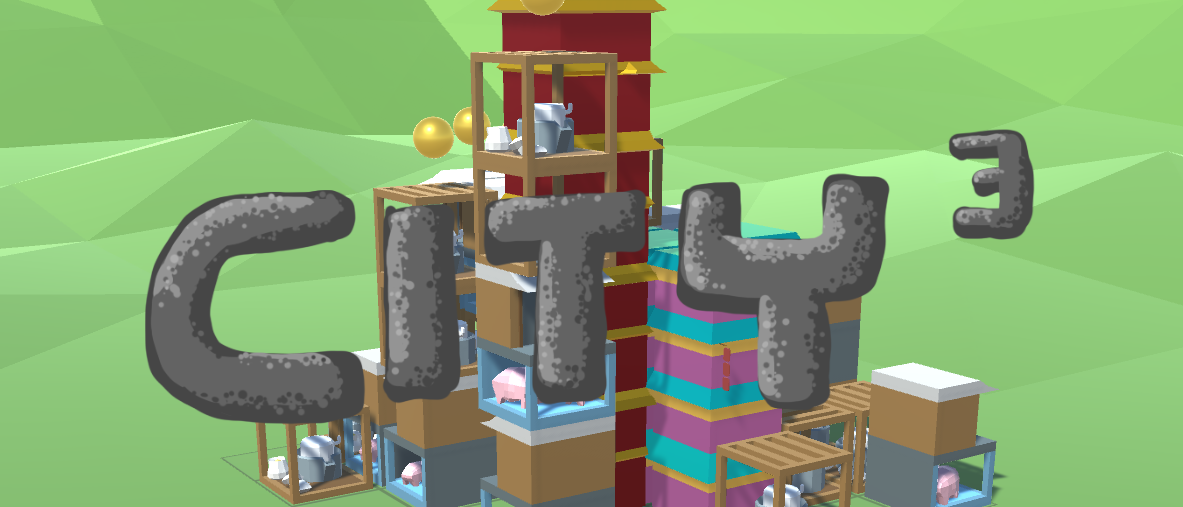
A city building simulation + 2048-like puzzle hybrid. Try to merge for larger buildings and keep resources balanced.
*Gameplay Video*
Controls
- Drag blocks into the grid and make merging patterns.- Left mouse button for dragging and clicking the `Merge Request Orb` :lol:
- Right mouse button for orbiting the camera
- Scrollwheel for zooming in and out
Tips
- Resources are consumed when blocks are merged into higher level ones. They are produced by blocks.- Note that blocks cost resources when producing them! Lack of 'ingredients' makes blocks stop producing.
Have fun!
Pattern formulas are at the end of the thread. Check them out if you have no clue of how to make higher level blocks
---
POST SUBMISSION UPDATES
UPDATE 2.5 HOTFIX *on 4/24/2018 0:14*
A quick fix of the block placement system. The camera's pitching angle is increased to 90 degrees top-down. Every cell is visible so there is no need for any 'mouse ray penetration'.The drag & drop feel should be much nicer now, hopefully.
UPDATE 2 *on 4/23/2018 19:38*
- As I realized that most people would like to learn with the in-game process, I extented the tutorial a little bit.I hope that makes the gameplay more understandable.
- I got feedback that it's kinda difficult to drop blocks on desired positions, as the game track mouse position as `ground position`(i.e. where the pointer projects on the ground along the camera direction), rather than the piled up blocks. So some extra codes are added to make the drop & drop easier:
- When pointing to the lower half of a pile with 2 or more blocks, or to a 0-or-1-block pile, mouse position is projected as `GROUND POSITION` (same as before)
- When pointing to the upper half of a pile with 2 or more blocks, blocks are placed at the pile's top.
UPDATE 1 *on 4/23/2018 14:16*
- Reduced the lightmap size on MAC- Fixed the 'BIG ROUND CIRCLE SHADOW' problem on MAC
- Fixed the issue that 'block stacks' may not update merging status when stacks around are merged.
- Fixed the issue that sometimes the terrain and grids cannot be loaded properly
Available Patterns
Blocks:
- A = the wooden shelter with stone grinder
- B = 2-story pig pen
- C = purple-wall block with green roof
- D = tallest red-wall block with golden roof
Patterns below is from a top-down perspective. Multipliers means the number of certain blocks in stack.
To make B:
```
A*3
```
To make C (all blocks must on the ground)
```
B-B-B
Or
B
B
B
```
To make D (all blocks must on the ground)
```
C
C-C-C
C
```
*There are quicker ways to make C and D. I'll leave that for you to discover*
Genres: puzzle


Comments32
(Actually I do have a Linux as I recall...But it's on a really old laptop. I don't want it explodes for running such a 3D game. XD)
and I found all the pattern by myself! great job to me as well!😎
It's a great concept.I like the "2048" genera.
One problem is the resource system is not very clear.
I still enjoy it.
(逃
(追
I dunno how optimally I played, but I managed to get 53457 as my final score.
Maybe consider adding some kind of cost to placing buildings, as currently the best strat seems to just be spam every possible building and worry about upgrades later. This seems to emphasize ability to quickly drag the buildings more than strategy. But hey, it's hard to tackle these kinds of design issues when you're madly trying to finish a project.
I also really liked the way you incorporated the Asian setting into the art. It was subtle enough to not take attention away from the game play, but at the same time helped to back up the whole city building theme.
I had a great time playing it and even went back for multiple tries to see if I could beat my scores. Well done!
I did think about costing resources for placing block, though not quite figured out how to make it simple and fun in a short time. It's my first time trying these genres so I'm lack of experience. Actually I'm think about making it into a complete game, with more features like synergy between 'buildings', a complete resource economy system (including 'construction fee' for sure!), and perhaps even multiplayers support. See if I can make it 🤔
I liked the concept but I wish I had a cheat sheet for what the combos were. If I hadn't worked to memorize the patterns I'm not sure I'd have been able to create the matches.
I had a real pig shortage. I am not sure how balanced the game was. It was hard to get everything lined up to make the big plus sized building. I made a mistake early on and was unable to turn the middle into a High rise, and thus my board was clogged all because I started in the corner.
Overall though it was a fun little game, with room for expansion if you'd like to add new things buildings can turn into.
This game is not well balanced as I didn't have much time figuring out all these numbers. But I'm trying to complete the game and make the economy system better! Thanks for support!
I think an improvement would be to make it clear what your score is based on, so the player can put more strategy into getting a higher score.
I left my rating of your game, if you can leave your feedback in our game, Witch's Escape.
I hope you continue with the project.
https://ldjam.com/events/ludum-dare/41/witc