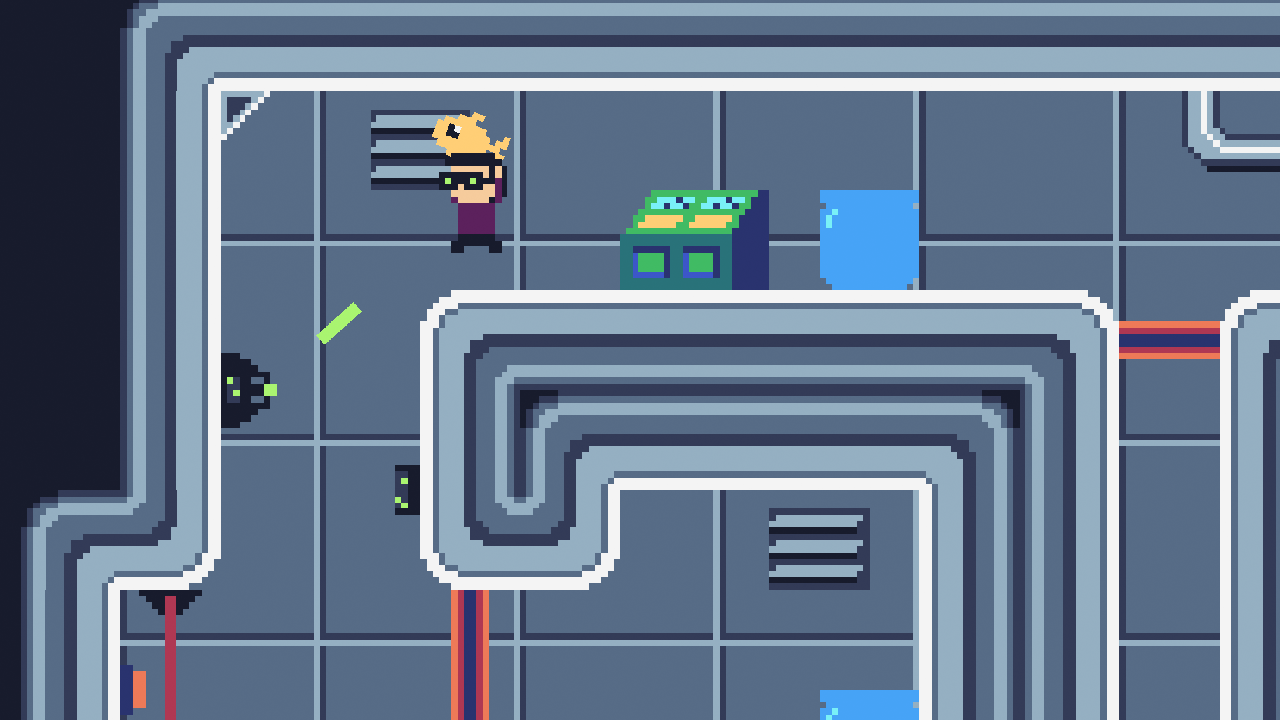
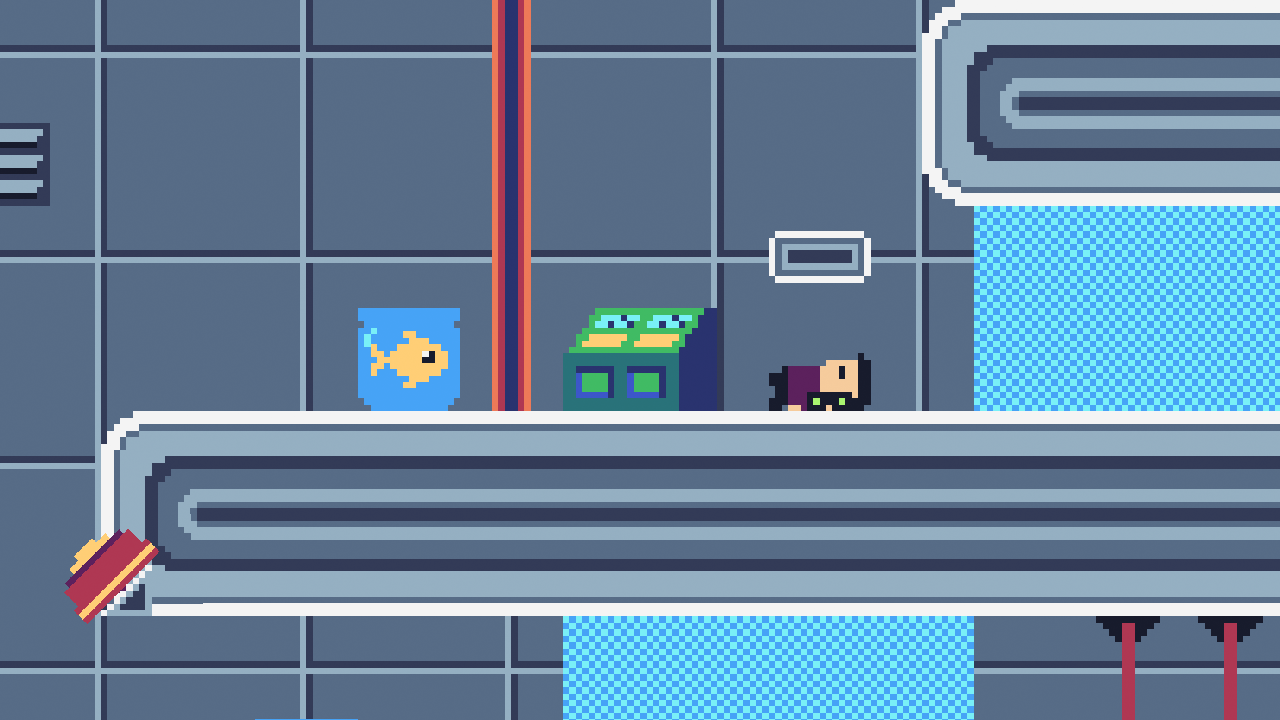
Listen up, Agent! Your mission, should you choose to accept it, is to extract the microfilm macguffin. Unfortunately for you, a goldfish has swallowed it. What kind of super villain keeps microfilm next to an open fish tank? Anyway, get that fish back to headquarters! The world is at stake! Oh, and one more thing: keep that fish alive at all costs!
(video starts at 6:30)
GAMEPLAY
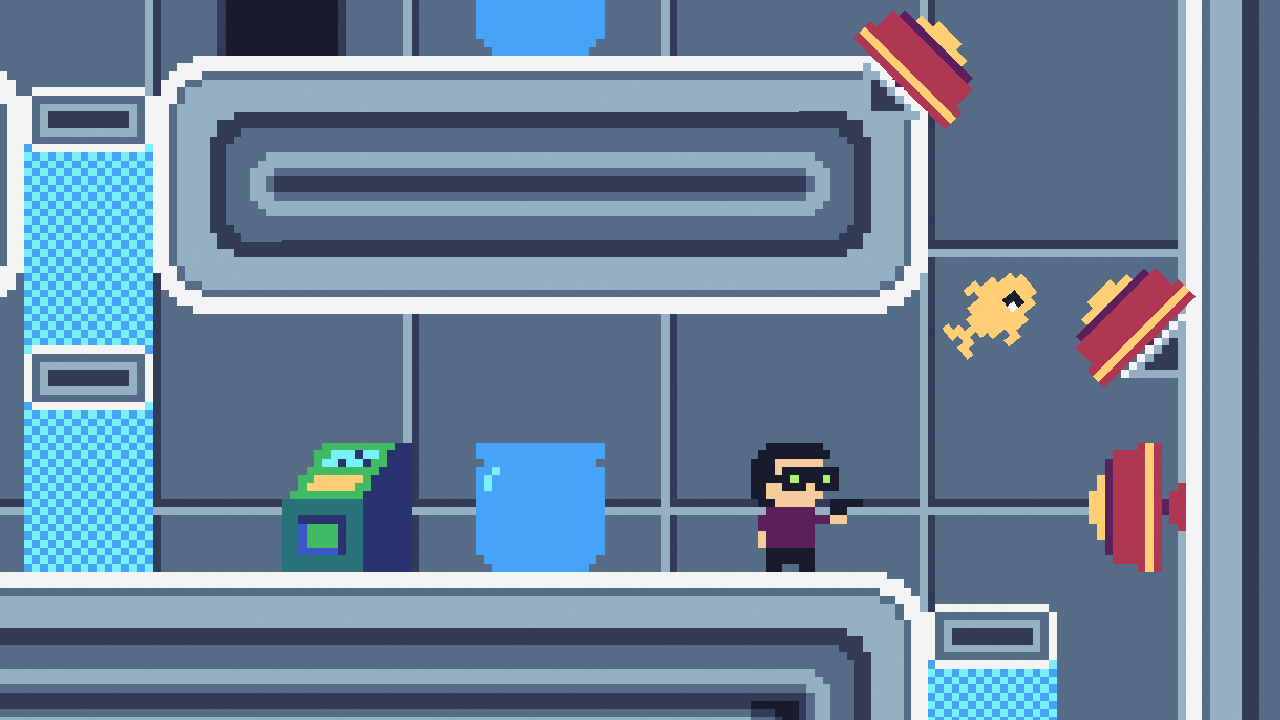
Put your puzzle-platforming skills to the test with this fun twist on the classic genre. Safely transport the goldfish through 10 nefarious levels while dodging heinous lasers, treacherous turrets, and evil pools of lava. Available on both Windows and Mac!
CONTROLS
Movement - Arrow Keys (or Gamepad analog stick / d-pad)
Jump - Spacebar (or Gamepad A button)
Shoot - Z key (or Gamepad X button)
Lift/Throw Fish - X key (or Gamepad B button)
Reset Level - R key (or Gamepad Y button)
GAME JAM NOTES
I created everything for this game except the music and sound effects. These are the tools and resources I used: * ENGINE: Construct 3 * ART: Aseprite and Photoshop * SFX: Various authors (freesound.org) * MUSIC: Eric Matyas (soundimage.org)
@nikita-demidov ~~Are you getting an error when you try to open it? You might have to go to System Preferences > Security & Privacy and click Open Anyway to launch it since it's not signed or whatever.~~
EDIT: You're right, something went wrong with the upload. I've replaced it and it should be working now. Thanks for the heads up!
@dillonbecker When I try to open it it said "Can't open the Programm "No Fish to die"."(translated). They Preferences > Security & Privacy thingy doesn't work (The game doesn't even show up there).
@nikita-demidov Yep, you were right. Something went wrong with the original upload. I've replaced the Mac file and it should be working now. Let me know if you're still running into issues. Thanks for pointing this out!
Ok, Now it starts but the second Control-option doesn't work which makes the game awkward. I also can't get past level 4, but I think it's a nice game overall, just a bit too difficult for me.
Thanks for playing! I removed a bug that caused the fish to die from green lasers which. That accidentally made it WAY harder than it was intended to be.
If you're stuck on the second stage remember you can throw the fish 🙂
The concept is fun but it's also very hard, I couldn't get past level 4. But based on your gameplay video it's funny too as you could throw the fish and bounce it off the spring haha!
The lasers blink so fast and require like perfect precision to throw the fish into the tank at level 2 and then make it through. I just couldn't do it. I liked the funny intro though. Didn't seem like a bad game, I just can't time to save my goldfish.
lol nefarious is an accurate word. I got stuck on level 10 as you need to play pretty perfectly and consistently to make it through there. I spent a LOT of time on your game though.
I've played a ton of short level platformers as it's a pretty popular genre for LD. I reallllly liked the twist you added though. It's like there's now 2 phases to the stage, 1 to clear it and 1 to make it out alive with the fish, and sometimes those 2 phases blur heavily. I liked how you could divide out the level so that the fish had to be transferred through the level differently than the player, it just gave you more to think about in an otherwise simple genre. Great game, you must be a hell of a platformer player because you had TIGHT timings on everything :)
Thanks @peachtreeoath! That's really amazing feedback. Definitely appreciate it. The biggest thing I'd change/tweak if I had more time is the difficulty as I've seen quite a few people struggle with various levels (not a lot of time to play test in 72 hours lol). There are only 10 levels though so you actually made it pretty much to the end.
Really liked the core mechanic and the graphics. Looks like it'd be a fun game, but damn... I genuinely couldn't get past the _second_ level! I tried for a good while too... it's kinda infuriating. I don't know what kind of nanosecond timing you're working to there, but I may have to find a video of a playthrough just to see the other levels! I like it though. Looks like it'd be great fun if you could address the difficulty curve a bit there.
Thanks for checking it out @garys! It's funny, I've seen a few people get totally stuck on the second level, and others have no problem. It makes me wonder if there's a bit of a bug with the laser timing that varies machine to machine (can't do a whole lot of testing in one weekend lol). Ultimately, the trick is to run and throw the fish just as the lasers turn off. But if I decide to tweak/polish/expand/continue this game at all I will definitely change up level 2 and flatten the difficulty curve a bit. Anyway, thanks again for playing!!
Everything is great except for the difficulty. The difficulty is way too high (for me at least), which kills all the fun that could be had. I tried the second level for a while, quit the game and then saw that you could throw the fish. Yeah, you might want to make that more clear. I did eventually make it to level 3, but I just couldn't make the jump to the platform where the fish is temporarily stored. I also saw that you made a voice pack with 500+ files, what a coincidence as I actually needed some voice lines. Anyway, I would appreciate it if the difficulty can be a bit less, say 5 seconds instead of 3 seconds.
Great game, maybe the best, if it wasn't for the high difficulty. 3 Seconds is really short and the lasers go on and off really fast. A bit too hardcore for such a funny game idea :p
I got to the second level after the tutorial stage and stopped. It's not the difficulty I have a problem with, it's the lack of room for error. The lasers flash way too quickly, so you have time it perfectly. The fish has only 2 seconds to love, so you have to act quickly without any pause for thinking. I wasn't finding it fun, I was finding it frustrating. But the respawn time is really good. There's no faffing about. Death leads straight into another attempt.
very cool idea, very clevr and funny game, but hard, sooo hard ! the movement is too nervous for me, i'm die so many time in the hallway level. Great good good job !!
It's rather hard to say the least XD. Still, the pixel art was damn nice. The music as well. Maybe if the frequency at which the lasers fired was reduced, it would be a little better. Just to give the player a little leeway. It's a good game to test a speed runner's mettle though. That's for sure. Good job man :)
Damn that's HARD ! Too hard for me honestly, had to stop at level 4 or so. It has been said previously, but... I think there is too little warnings and no room for error. The game doesn't warn you, doesn't give you signs before killing you.
For the rest, it's good, the graphics are nice, the music too.
Thanks all for the awesome feedback! Really appreciate it. Difficulty is clearly the biggest criticism and I totally get it. I'm thinking about releasing an updated version that tweaks the difficulty a bit, and maybe add a few more levels with the springs.
So fun and cleverly designed! Loved the humor and overall style of the game :D I too found it quite difficult, so the difficulty curve definitely needs some work, but besides that, I had plenty of fun! Great job!!
Really fun take on the them! It's quite a challenging platformer, I had to redo even the first levels multiple times to get it right :D However the general mood and polish made me want to retry!
The use of the theme in this is great and the actual gameplay works really well. Only issue I had was the difficulty curve was a bit too hard. Also would be good if you could click one of the playing buttons to restart instead of having to click R. Really polished game though and glad to see you've made a post jam version that takes some of the feedback into consideration. Always hard to balance difficulty in such a short jam.
The introduction, the gameplay, the graphics art, everything is awesome (even the title). Maybe the music is too repetitive, anyway, I enjoyed playing your game !
This was … painful. I like the game, and in the beginning it seemed pretty good. The platforming is a bit too jumpy for my taste (as in, you don't really get control over your arcs, there is no real acceleration, etc), but that's fine. The laser timing is a bit quick but oh well. Then I found out that the bullets bounce, and the physics aren't exactly reliable. I hit my fishbowl too many times just trying to shoot a button or a fusebox.
But then came level 10. I think most of my 243 deaths happened on level 10. The majority of the failed attempts were because the launchpads launched the fish wrong. There is no skill involved, it is just (unintentionally I hope) artificially difficult. The level would have had the same amount of real difficulty (as in, skill-based) if there was a fish tube that simply transfered the fish from the first floor to the next. Almost all other attempts failed because I got shot down by the remaining turret because I got stuck on the ceiling when jumping or something. Ironically, on my final, successful attempt, the fish was launched by chance directly into the fish bowl next to the exit. But, enough about level 10 😠
Cool game, I played three levels so I didn't get really deep into it but I enjoyed what I saw. I kept hitting my head on the jump on level 3, it felt a bit tight, but that kept me trying. I think you put a very creative game together and was well done. Thanks!
@aurel300 's suggestion of the Microfish/Fiche needs to be in any future development if you take this forwards @dillonbecker haha.
Great game, fun concept and exceptionally difficult. As Others have said, maybe a bit more control / deterministic behavour from some of the physics stuff would help playability. It's frustrating ( though I admire the realisim ) to have the ricochet bullets kill the fish bowl.
Really enjoyed the game but the difficulty was ridiculous. Got to Level 4 in the end but couldn't think of how to get through after dying countless times. The idea is brilliant though and the metal gear solid into was superb! Love a lot about this game will have to play the updated version and hope it's slightly easier haha
Nice concept and well executed! Others have already touched on the inconsistent physics. One suggestion I have is to make the bullets much larger (but don't make them destroy the fishbowls). It might help the shooting feel more consistent since you wouldn't rely so much on luck to land your shots.
It's a bit hard to hit the buttons with the bullets, partially because your gun flips together with you and isn't placed directly on top of you. However, that's an incredible idea and I had a lot of fun playing the game!
Really creative and really tough (I couldn't get very far tbh, but it was fun enough that I was compelled to keep trying). The art is super cute and the intro was really funny. Great job overall!
Smart clever gameplay and nice charm to the game! I like the chiptune soundtrack and the MGS style intro.
The difficulty curve is very steep and even the second level is really hard (even when you know that you can throw the fish).
It would have been nice if you had kept original LD version playable on web as well, since if I wanted to rate this fairly I had to download the desktop version.

Comments50
EDIT: You're right, something went wrong with the upload. I've replaced it and it should be working now. Thanks for the heads up!
If you're stuck on the second stage remember you can throw the fish 🙂
I liked the funny intro though. Didn't seem like a bad game, I just can't time to save my goldfish.
I've played a ton of short level platformers as it's a pretty popular genre for LD. I reallllly liked the twist you added though. It's like there's now 2 phases to the stage, 1 to clear it and 1 to make it out alive with the fish, and sometimes those 2 phases blur heavily. I liked how you could divide out the level so that the fish had to be transferred through the level differently than the player, it just gave you more to think about in an otherwise simple genre. Great game, you must be a hell of a platformer player because you had TIGHT timings on everything :)
I like it though. Looks like it'd be great fun if you could address the difficulty curve a bit there.
But the respawn time is really good. There's no faffing about. Death leads straight into another attempt.
For the rest, it's good, the graphics are nice, the music too.
It's quite a challenging platformer, I had to redo even the first levels multiple times to get it right :D
However the general mood and polish made me want to retry!
Poor fishy, man.
🐟
The introduction, the gameplay, the graphics art, everything is awesome (even the title). Maybe the music is too repetitive, anyway, I enjoyed playing your game !
Great job 👏
But then came level 10. I think most of my 243 deaths happened on level 10. The majority of the failed attempts were because the launchpads launched the fish wrong. There is no skill involved, it is just (unintentionally I hope) artificially difficult. The level would have had the same amount of real difficulty (as in, skill-based) if there was a fish tube that simply transfered the fish from the first floor to the next. Almost all other attempts failed because I got shot down by the remaining turret because I got stuck on the ceiling when jumping or something. Ironically, on my final, successful attempt, the fish was launched by chance directly into the fish bowl next to the exit. But, enough about level 10 😠
Also no pun on "microfiche" in the intro?
Great game, fun concept and exceptionally difficult. As Others have said, maybe a bit more control / deterministic behavour from some of the physics stuff would help playability. It's frustrating ( though I admire the realisim ) to have the ricochet bullets kill the fish bowl.
Full marks for humour!
Love a lot about this game will have to play the updated version and hope it's slightly easier haha
The difficulty curve is very steep and even the second level is really hard (even when you know that you can throw the fish).
It would have been nice if you had kept original LD version playable on web as well, since if I wanted to rate this fairly I had to download the desktop version.