This is a no-engine game based on raw Vulkan SDK and some Haskell libraries I made to load stuff. The source code is on GitLab.
~~I haven't figured out how to build it on Windows, so... At least the Linux build should work out of the box on anything older than Ubuntu 18.~~
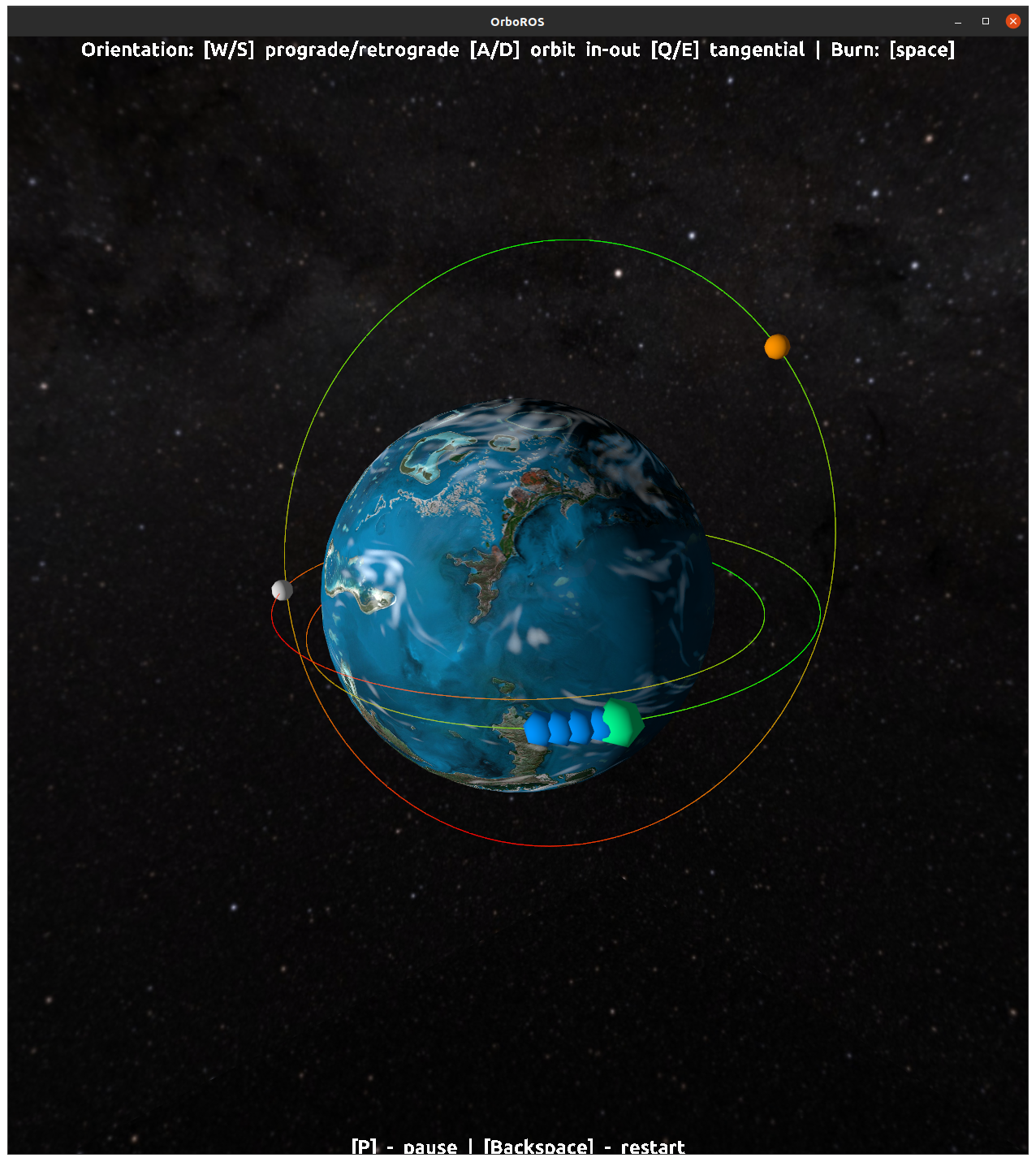
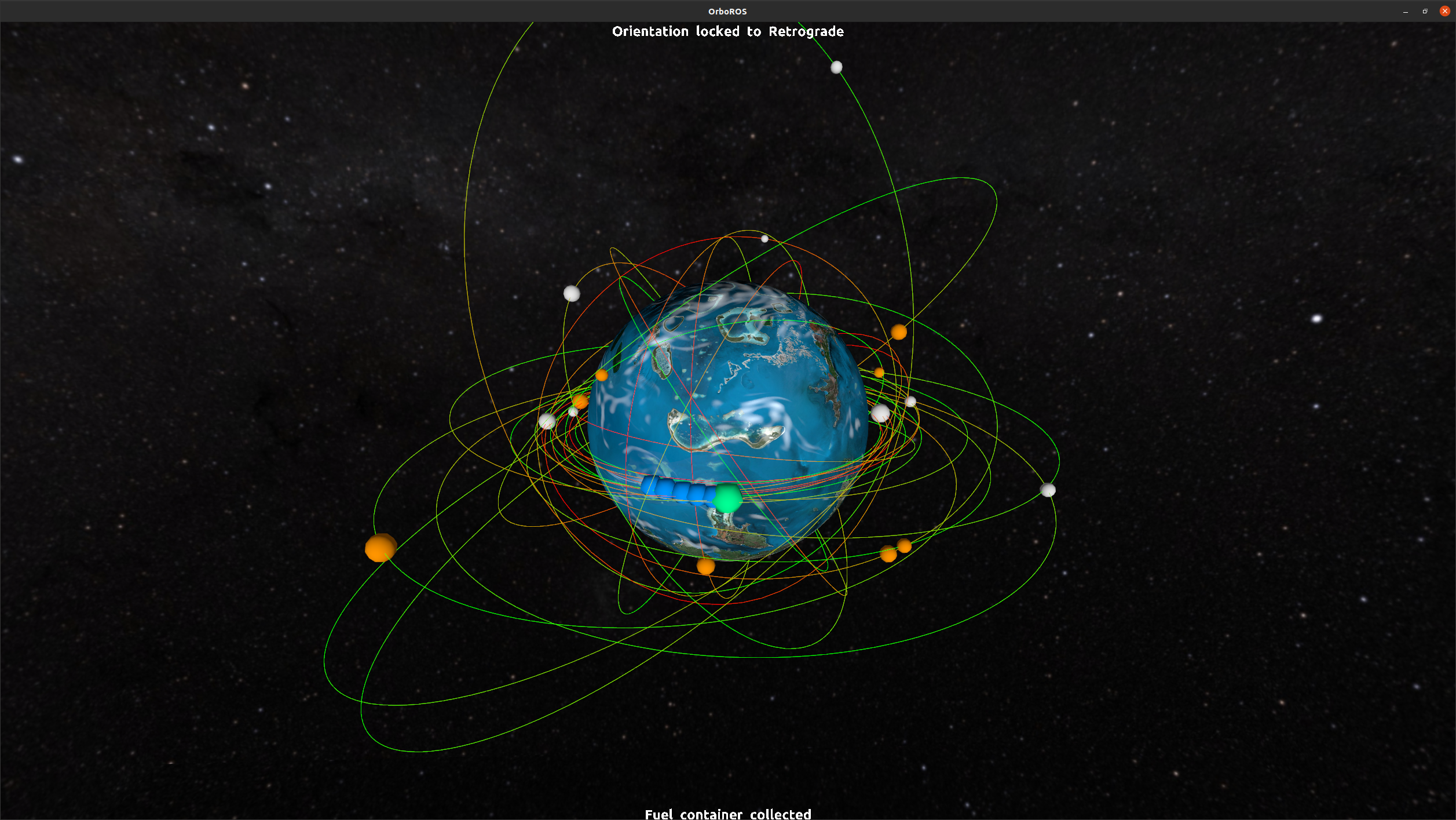
The gameplay is a Snake - you move around and collect stuff. The twist is the playing field is actually 6-dimensional, as in 6 orbital elements. See below for controls.
Controls
The controls are not intuitive. I had difficulties with rendezvous missions in Kerbal Space Program so I made this to grok it. It should be even more difficult with limited fuel, time and other restrictions.
The controls are two-fold:
* To actually change your orbit, activate (and hold) `[space]`.
* To lock spacecraft orientation use: * `[W]` - orient prograde. That is, towards your next position, "forward". This will raise the opposite point of your orbit. * `[S]` - orient retrograde. Turn around, engine-forward and prepare to brake. This will lower the point at 180° around your orbit. * `[A]`/`[D]` - orient "inside" and "outside" orbit. This is where things get funky. Those are slow burns that shift your orbit around. * `[Q]`/`[E]` - orient perpendicularly to your orbital plane. This will adjust your inclination, however unintuitively. Even slower burn.
That's it. Things will get faster the closer they get to the planet. Red color indicates the greater speed and lower altitude.
Extras
* `[←]`/`[→]` - rotate camera around the planet to get a better look. * `[P]` toggles game time. You still can do your burns though. This is to simulate more powerful engines and give you some time to think. * `[1]`/`[2]` - spawn more containers to catch! * `[Backspace]` - jettison your score and yourself to restart.
Windows/Mac gamers, sorry. I've made a recording of one not too bad run, so you can play on YouTube (=
> *UPD:* I've managed to build an run it on Windows!
I couldn't get it to run in my Pop!_OS (Ubuntu 20.04) VM. The error I get is: "VulkanException {vulkanExceptionResult = ERROR_INITIALIZATION_FAILED}". Is there a possibility you could build for Windows too?
Couldnt get to run either, get orboros.AppImage: SDLCallFailed {sdlExceptionCaller = "SDL.Video.Vulkan.vkGetInstanceExtensions (1)", sdlFunction = "SDL_Vulkan_GetInstanceExtensions", sdlExceptionError = "Invalid window"} on ubuntu1~18.04.1
I don't have a capable linux machine to run this. If you could explain the build process you used on Linux, I could try to make a windows build. I already have Haskell installed.
On Ubuntu the usual `stack build` is enough. On windows it requires to fiddle with DLLs, SDKs and whatnot. I'll try to figure it out before the next jam comes (=
It took me a while to figure out what I was supposed to do, maybe the player controllable object could have been more distinct visually from the collectables. It was also pretty hard to catch the containers.
Great idea and impressive execution without a game engine!
This is by far my favourite game I've come across in ld47 so far. It runs great on 1 out of 2 of my manjaro machines. But sometimes I get stuck and get the "incorrect orbit, engine stopped" error whatever direction I try.
Sorry i cannot try the game (mac user) but i have rated based on the video you have in description. You really set the mood right and the space atmosphere feels great
This was really fantastically unique, and even though I was utterly terrible at it (I am awful at this kind of thing), it was a very cool concept and quite satisfying to play.
I really like this idea! Kerbal space program was an enlightenment to me - it allowed me to teach myself orbital mechanics, it is super cool to see a mini-version of this that super approachable.
I really missed some visual indication of the burn direction (played on windows) - the prograde/retrograde/normal/antinormal etc were familiar terms to me, but to a newcomer it could be super confusing.
This could be easily a super good tool to explain orbital mechanics in class or to anybody that's interested - I'd love to see this thing polished and available as a webgl/mobile thing!
Really cool game, I couldn't really figure out how to control it well but it was still fun. The ambient style music was really good too. Also Bonus points for making the game without an engine, I tried to do that once using and the most I did was make a simple 2d platformer with really buggy collision.


Comments22
Thanks for putting effort in VM though. I think you should enable something called "GPU passthrough" in VM settings for graphics stuff to work.
orboros.AppImage: SDLCallFailed {sdlExceptionCaller = "SDL.Video.Vulkan.vkGetInstanceExtensions (1)", sdlFunction = "SDL_Vulkan_GetInstanceExtensions", sdlExceptionError = "Invalid window"}
on ubuntu1~18.04.1
Great idea and impressive execution without a game engine!
Great sounds, solid implementation of orbits. Pity I can say that only based on a movie (Windows user).
I really missed some visual indication of the burn direction (played on windows) - the prograde/retrograde/normal/antinormal etc were familiar terms to me, but to a newcomer it could be super confusing.
This could be easily a super good tool to explain orbital mechanics in class or to anybody that's interested - I'd love to see this thing polished and available as a webgl/mobile thing!
Keep on keeping on!
For some reason it just gives up on me when I try to run it. Not sure what it is looking for since the file is there
```
orboros.AppImage: resources/click.ogg: openBinaryFile: does not exist (No such file or directory)
```