Human Explained
This game is from ldjam.com, which is currently unavailable.
You can try viewing the original page on Web Archive (may not load correctly).
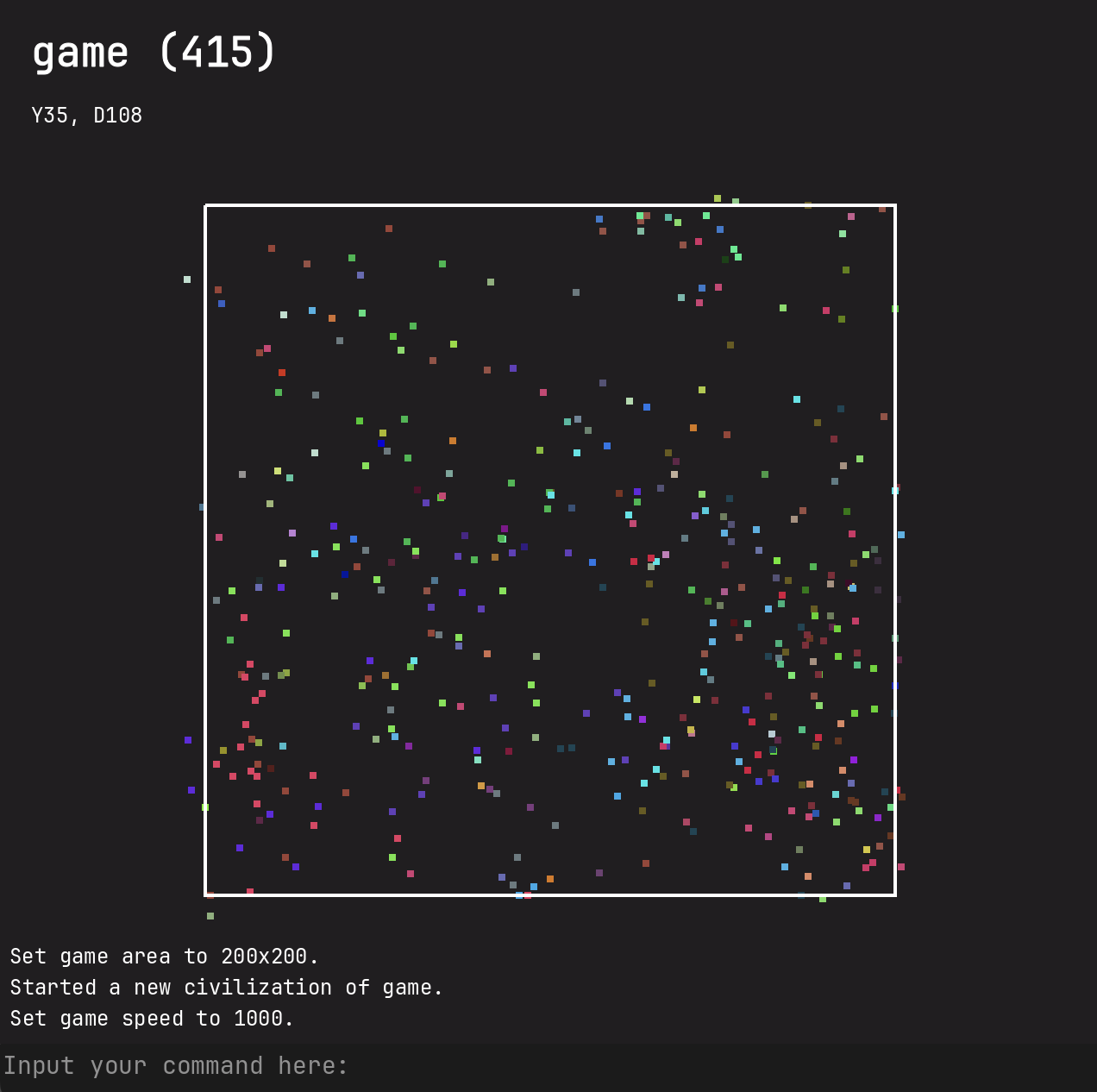
A boring sandbox simulator of reproduction and death.
Citizens start moving when they reach the age of 3, and begin reproducing when they reach the age of 6.
At some point of their poor lives, they die.
Each color represents a family. If the family has more than 20 members, any member that is in its reproductive age has a chance of creating a new family.
Ludum dare's embed HTML5 can't run my game for unknown reasons. Please click the link below.
Play on itch.io
Click on that little pixel to inspect your citizen.
- W,A,S,D: move around
- Q,E zoom in/out
Click on the console to start inputing commands. Use `Esc` to exit input mode.
- `start <name: String>`: Start a new game with a unique name.
- `set_game_area <width: int> <height: int>`: Limit the game world into a rectangle of `width`*`height`. Preferred 200*200
- `set_game_speed <speed: int>`: Set how many ticks per second. There is a maximum value but I am not sure. Any value that is smaller than 0 will pause the game. Preferred speed = 500.
- `pause`: You know what it means.
- `unpause` or `resume`: You know what it means.
- `thanos`: Randomly removing lives with a chance of 50%. Dramatically reduces lagging.
- `restart`: Restart the game.
- `reset_camera`: Reset camera position.
Thank you for playing my game.
Citizens start moving when they reach the age of 3, and begin reproducing when they reach the age of 6.
At some point of their poor lives, they die.
Each color represents a family. If the family has more than 20 members, any member that is in its reproductive age has a chance of creating a new family.
Ludum dare's embed HTML5 can't run my game for unknown reasons. Please click the link below.
Play on itch.io
How to play:
Click on that little pixel to inspect your citizen.
Camera controls:
- W,A,S,D: move around
- Q,E zoom in/out
Commands:
Click on the console to start inputing commands. Use `Esc` to exit input mode.
- `start <name: String>`: Start a new game with a unique name.
- `set_game_area <width: int> <height: int>`: Limit the game world into a rectangle of `width`*`height`. Preferred 200*200
- `set_game_speed <speed: int>`: Set how many ticks per second. There is a maximum value but I am not sure. Any value that is smaller than 0 will pause the game. Preferred speed = 500.
- `pause`: You know what it means.
- `unpause` or `resume`: You know what it means.
- `thanos`: Randomly removing lives with a chance of 50%. Dramatically reduces lagging.
- `restart`: Restart the game.
- `reset_camera`: Reset camera position.
Thank you for playing my game.